











How to add Kryptex to AVG antivirus exclusion?
30 апреля 2026 г. 14:37
Many antivirus programs can disrupt the correct functioning of the Kryptex App. To ensure that your antivirus doesn't hinder Kryptex's operation, you should exempt Kryptex files from being scanned by the antivirus software.
Add Kryptex to AVG exclusion
Open AVG Antivirus and go to
☰”Menu” —> “Settings”.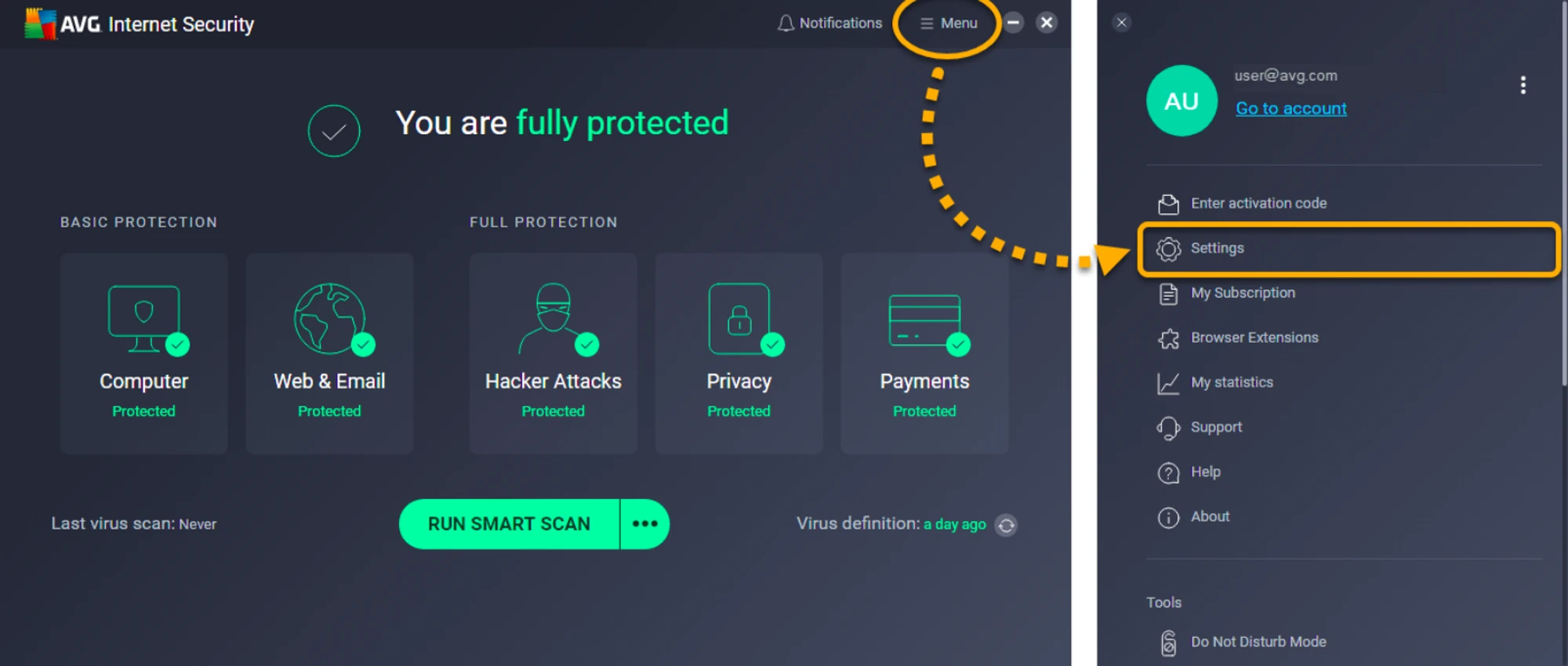
Select “General” —> “Exclusions”, then click “Add extended exclusion”.
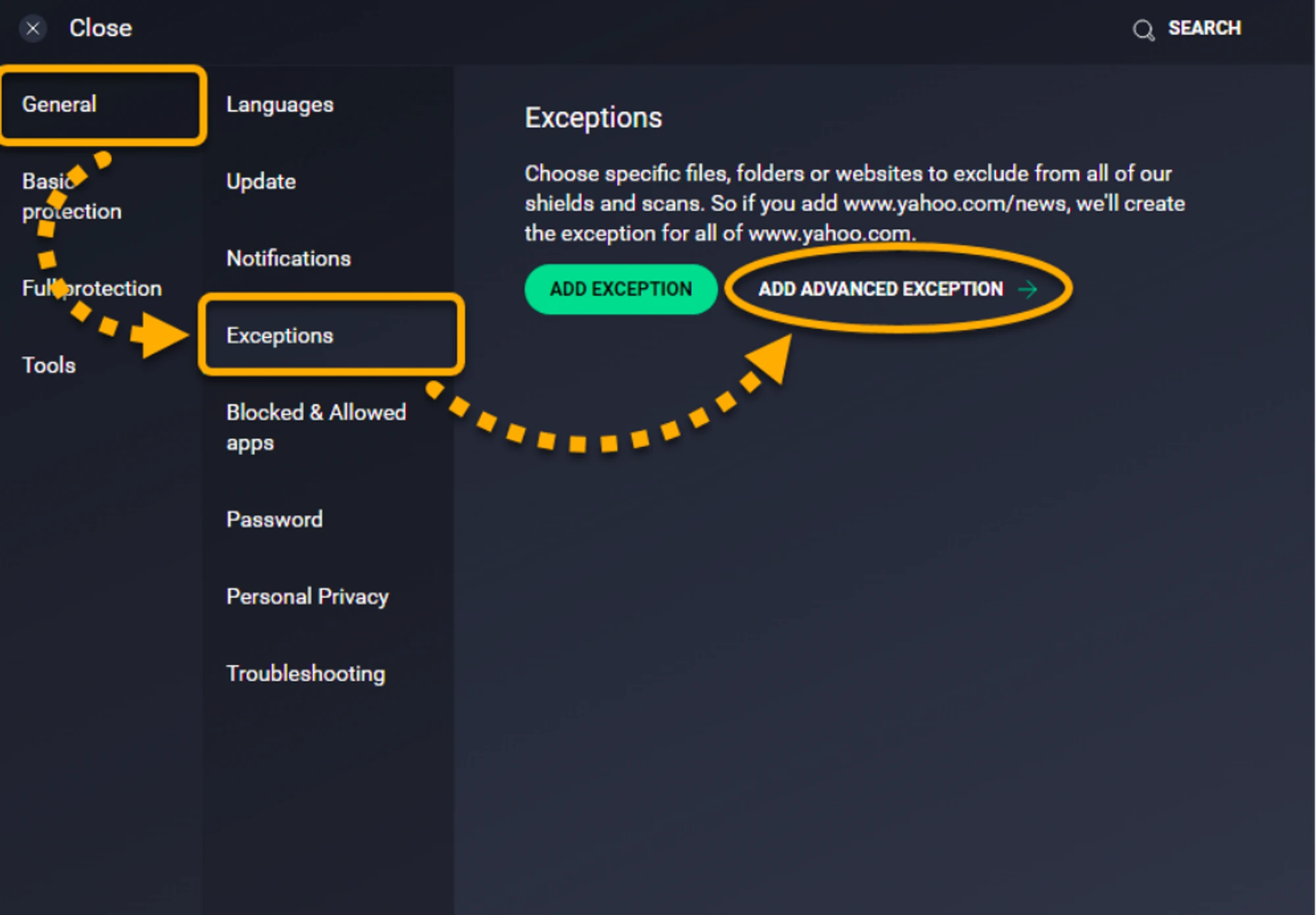
Select the tab for the exclusion type “File” and specify the following paths for the exclusion:
C:\Program Files\Kryptex%AppData%\Kryptex%AppData%\Kryptex\minersC:\Program Files\Kryptex\Kryptex.exeC:\Program Files\Kryptex\KryptexService.exeC:\Program Files\Kryptex\intelgpu-util.exeC:\Program Files\Kryptex\amdgpu-util.exe
Can’t find the AppData folder? View hidden system files and folders.
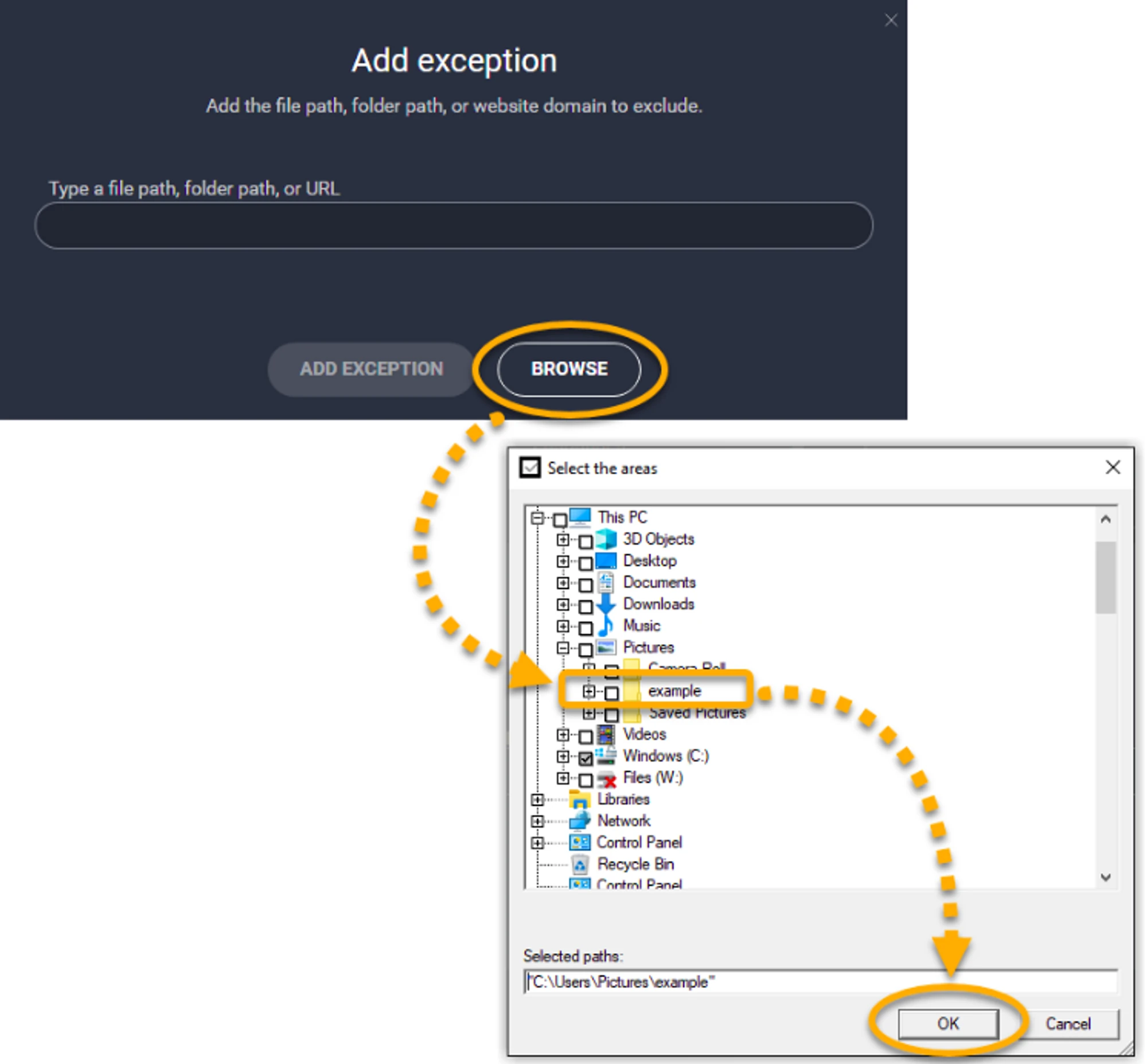
Click “OK”.
More details on the developer web page — https://support.avg.com
Need Help?
Have any questions, something is unclear, or you can't connect?
Contact support — we're happy to assist!
- Support Ticket.
- Telegram Support.
- Discord Support.
- Email support at support@kryptex.com.
