







How to Disable Core Isolation
Core isolation is a Windows security feature designed to isolate third-party processes from Windows processes, enhancing protection against attacks on the Windows kernel. However, it can reduce performance in mining, gaming, and some applications.
While core isolation is a typical feature for Windows 11, some Windows 10 systems may also have this option.
This guide will help you turn off core isolation to optimize mining performance.
Disabling Core Isolation in the "Windows Security" Menu
- Open "Windows Security":
- For Windows 11: Go to Start → Settings → Privacy & Security → Windows Security.
- For Windows 10: Go to Start → Settings → Update & Security → Windows Security.
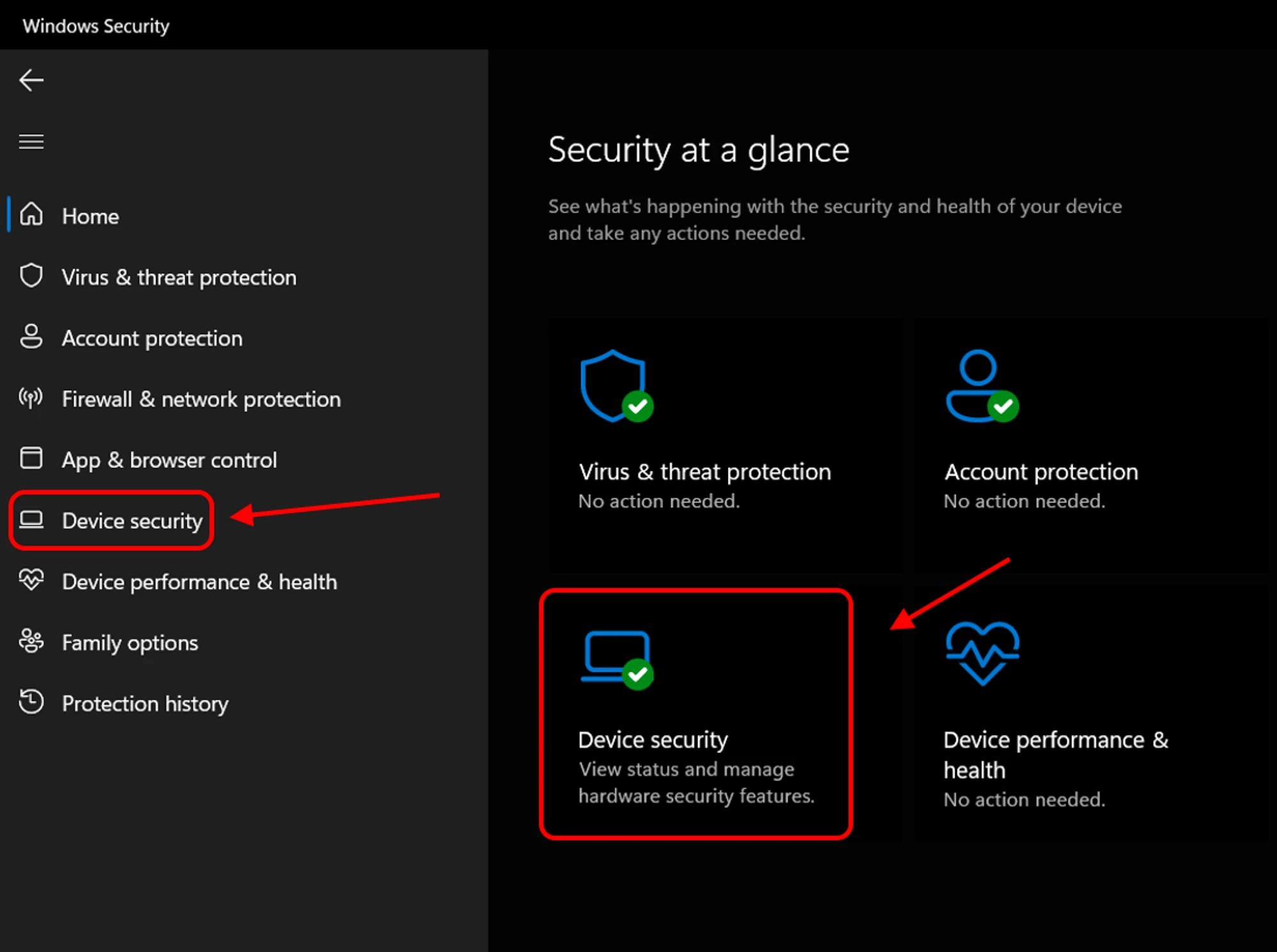
In the "Windows Security" window, navigate to "Device Security."
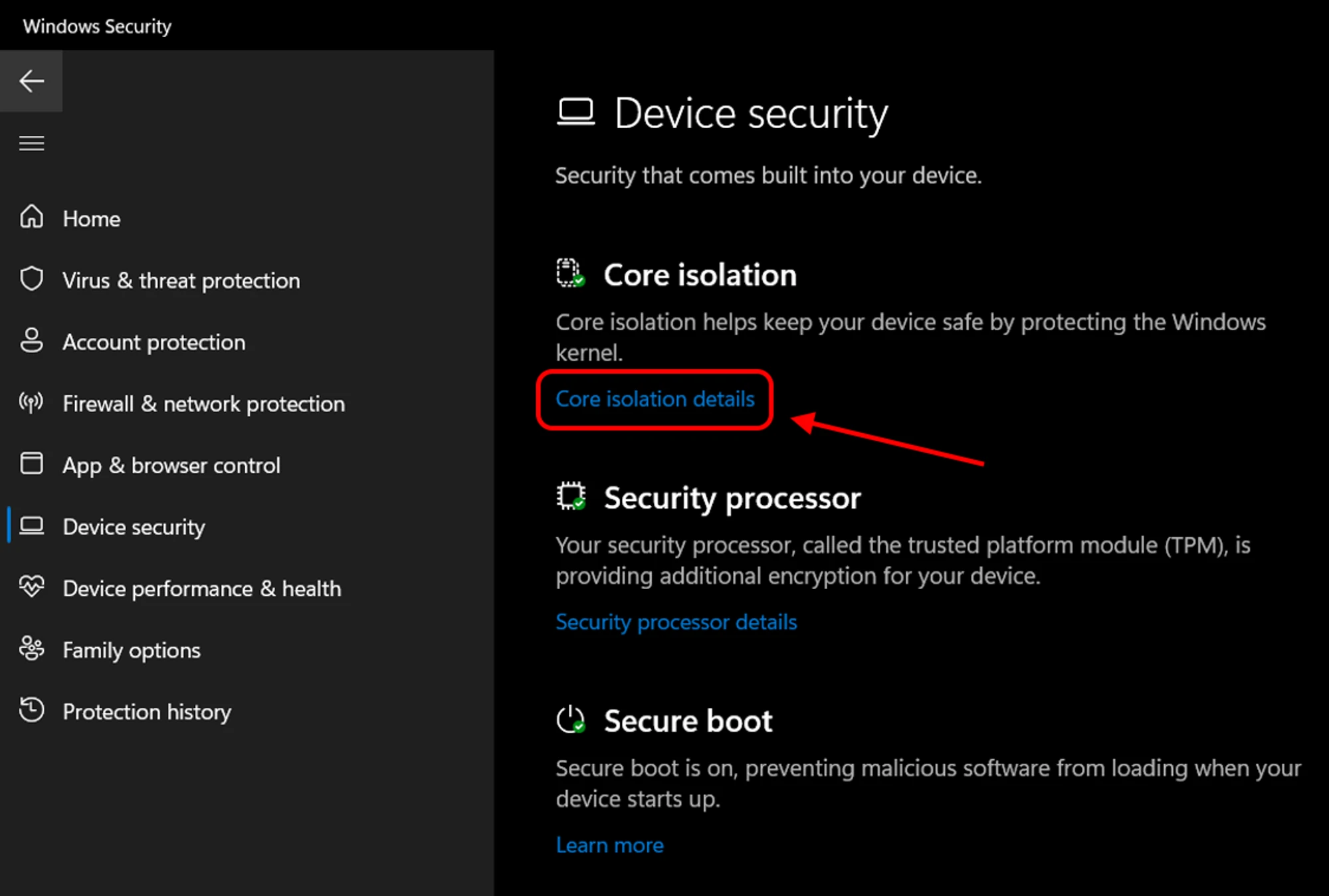
Under "Core Isolation," click on "Core Isolation Details."
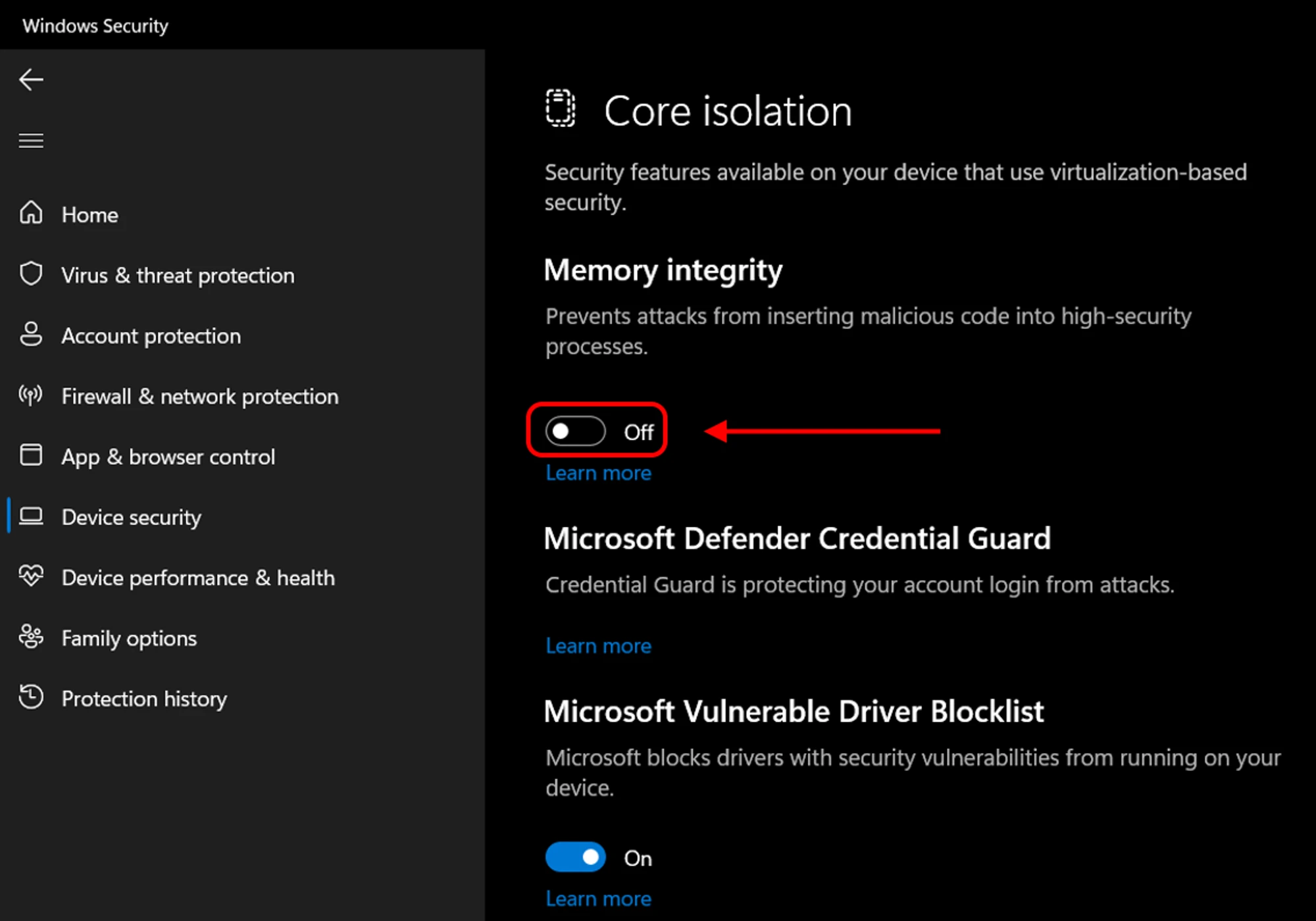
Turn off "Memory Integrity." If prompted by User Account Control, confirm the action.
Restart your PC to apply the changes.
Additional Information
After disabling Core Isolation, you may see warnings in the "Device Security" section of Windows Security, and an exclamation mark might appear in the system notification area.
To turn off these notifications, open "Device Security" and select "Close All."
Is It Safe to Disable Core Isolation?
The safety of disabling Core Isolation varies depending on your situation. If your PC is primarily for work, you don't mine frequently, and you aren't experiencing performance issues, it's best to keep this security feature enabled.
If you use your PC for mining only, we strongly recommend disabling Core Isolation. This feature can significantly reduce mining profitability or prevent CPU mining altogether.
Disabling Core Isolation can also improve gaming performance, as it frees up resources required by your processor.
Need Help?
Have any questions, something is unclear, or you can't connect?
Contact support — we're happy to assist!
- Support Ticket.
- Telegram Support.
- Discord Support.
- Email support at support@kryptex.com.
