







How to increase a Pagefile size in Windows?
Why should I? 🤨
"Virtual memory," or "Page file" is the extension of your computer's RAM. The page file is stored on the hard drive and gets utilized by Windows in case it experiences a memory shortage. When the regular RAM is not enough to contain all the launched programs data, Windows starts to swap some memory to the pagefile, reducing the amount of RAM used.
Miners will work unreliably or won't even launch at all if the virtual memory is not set to the proper size.
Some miners utilize virtual memory to store the massive data required for calculation of the cryptocoin's blocks. For example, Ethereum mining requires loading the so-called "DAG file" into the GPU memory. The size of this file depends on the "epoch" of the Ethereum, or the number of blocks that have been mined globally. Therefore, DAG grows bigger and bigger with time, so does the miner's appetite for your memory.
How do I increase a pagefile? What size should I set?
1. Calculate the required size:
Sum up the total amount of memory of all your GPUs and add 4GB more on top of it.
For example, if you have 2 GPUs with 3GB VRAM each and 1 GPU with 6GB VRAM, then the Virtual memory size is calculated like:
2*3 + 1*6 + 4 = 16GB
2. Set the right page file size in the system's settings
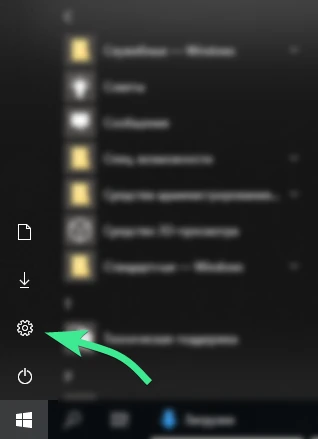
Find "Settings" in the "Start" menu.
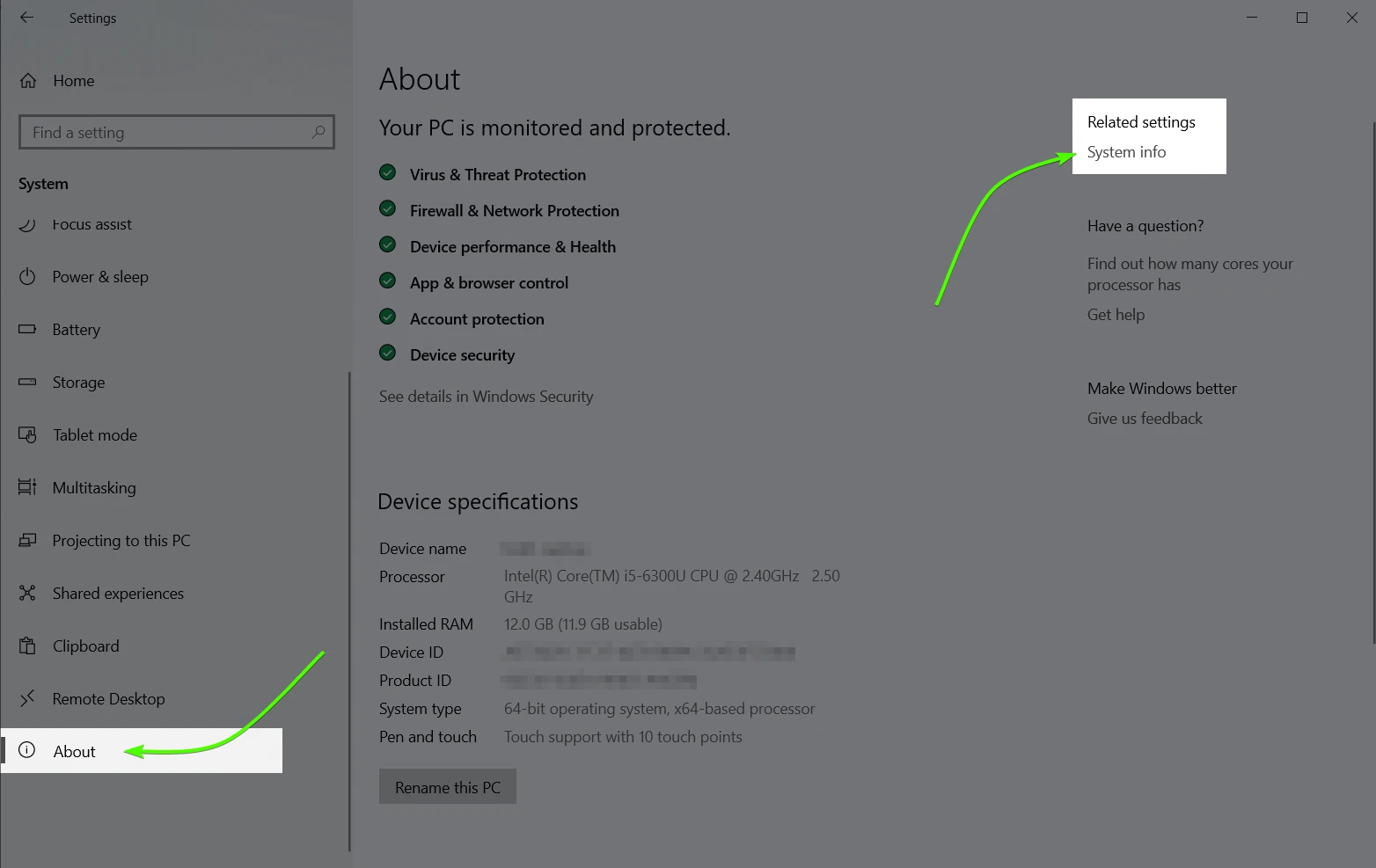
Go to "System" -> "About" -> "System info"
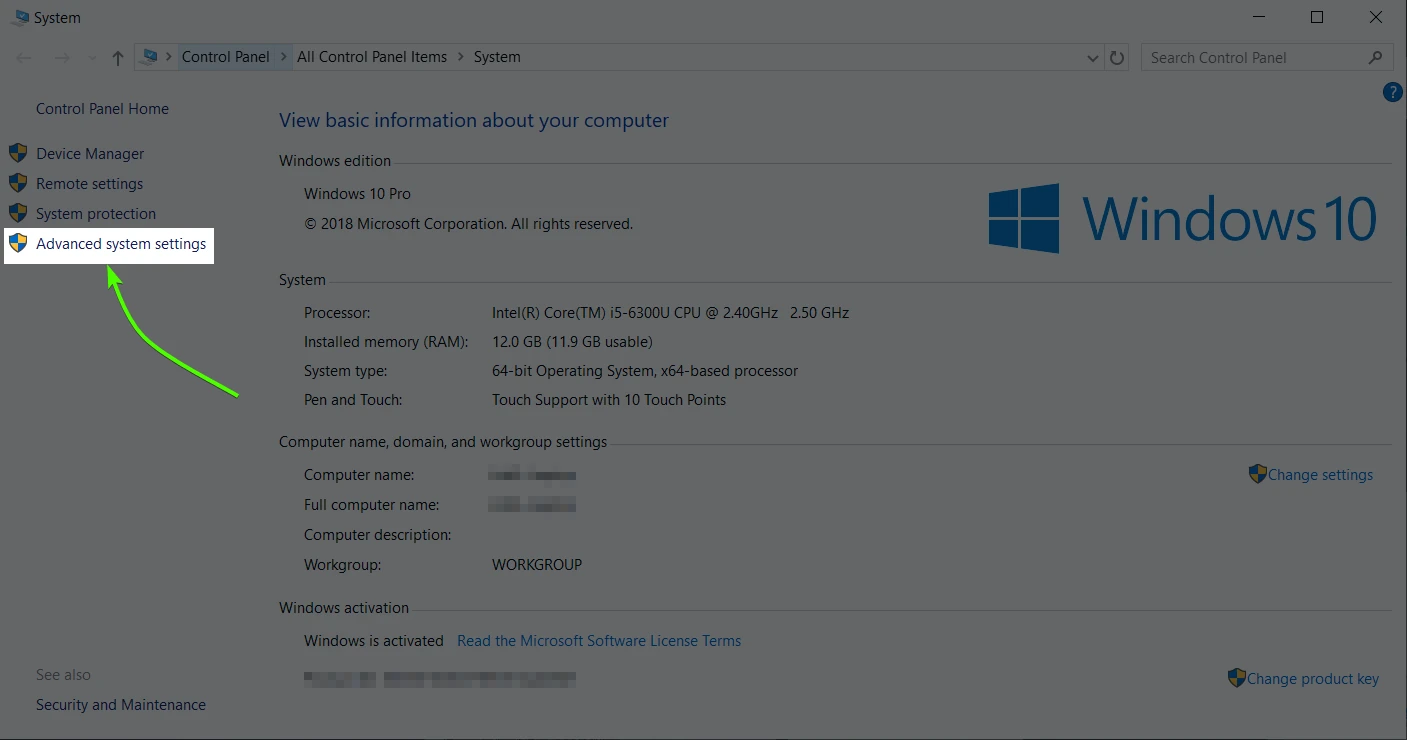
Click "Advanced system settings."
Follow the menus, as illustrated below.
Disable the "Automatically manage paging file size for all drives" setting (3).
Choose the "Custom size" and set the desired file size in megabytes (4&5).
In this particular example, we set the paging file size to be 16GB.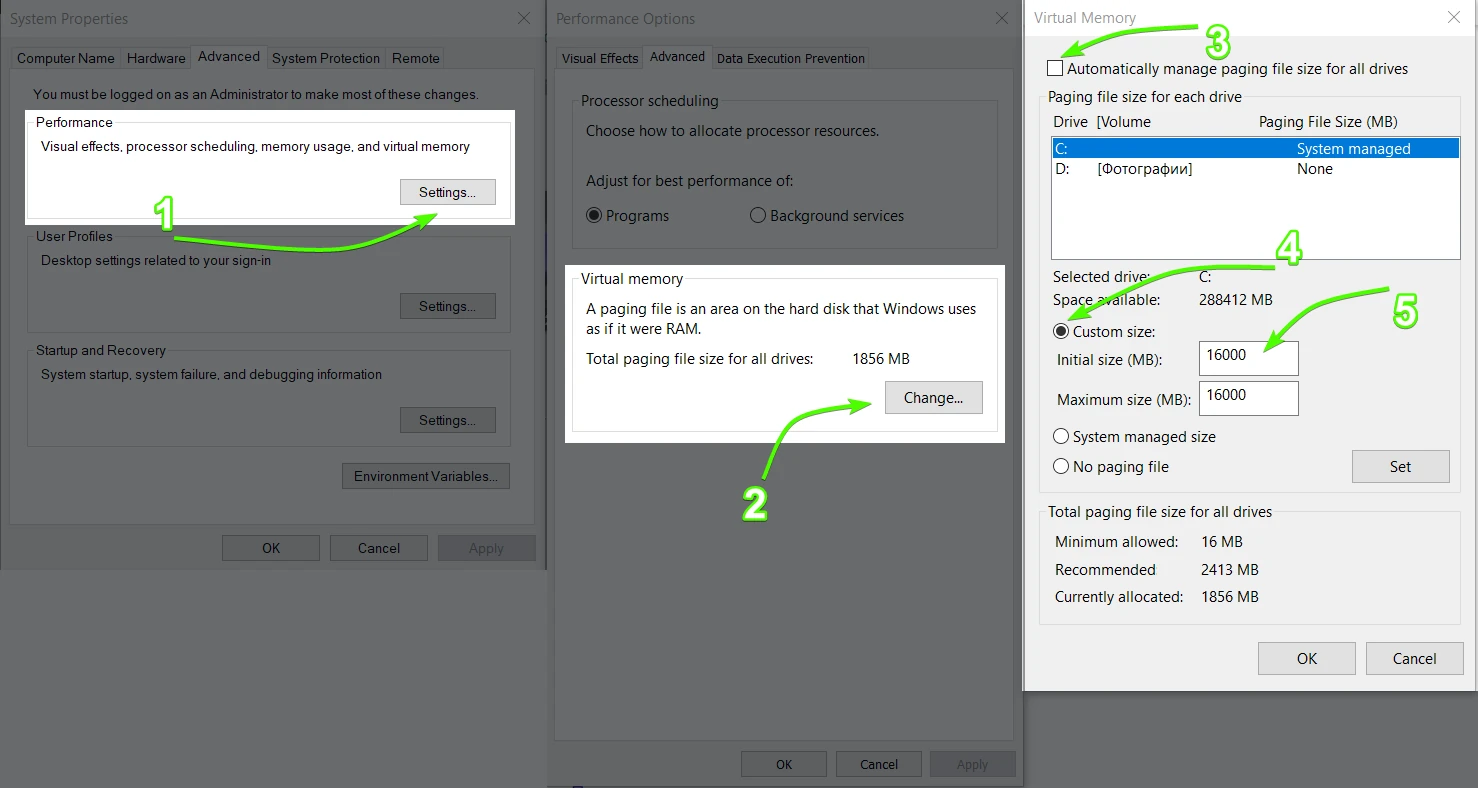
4. Restart your computer
This makes sure the new system settings are applied.
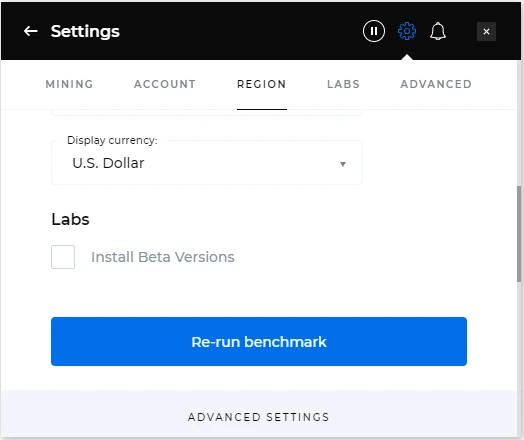
5. Re-run benchmark
Let Kryptex test miners again now that the virtual memory has more space.
6. Done! 🥳
Still got any questions? We are here to help! 👋🏻
Message us, and we'll solve any issue 💪🏻 Replies are given within one day.
- Via web form;
- Via Telegram;
- On Facebook;
- Or email us to support@kryptex.com directly.
Need Help?
Have any questions, something is unclear, or you can't connect?
Contact support — we're happy to assist!
- Support Ticket.
- Telegram Support.
- Discord Support.
- Email support at support@kryptex.com.
