







How to connect several computers
2026년 5월 7일 10:08 오전
Do you have several computers or a corporate laptop?
Maybe a balcony full of mining rigs? 😋
Kryptex is designed to connect as many computers as you want.
Just enter your Kryptex login and password into the app on every computer.
It's convenient!
- There is no need to remember a lot of passwords;
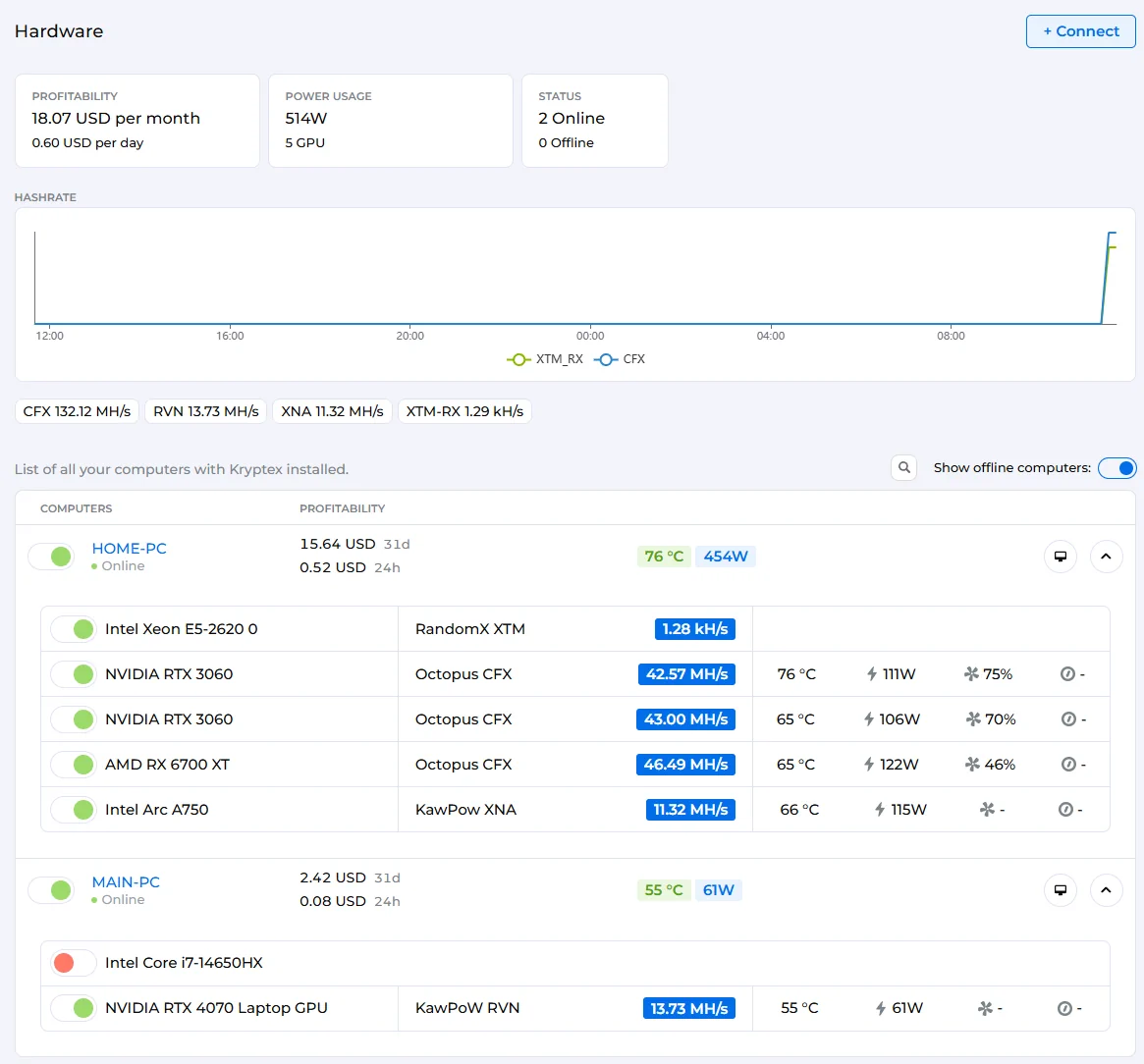
- Profit from all your computers is summarized in one place;
- Enable notifications about mining issues;
- Easy to withdraw all the money at once;
- Set up, update and reboot your PCs.
How to connect?
Enter the same login and password that you used on your first computer after the Kryptex installation.
Pass all the tests and the computer will appear in a computer list in a couple of minutes!
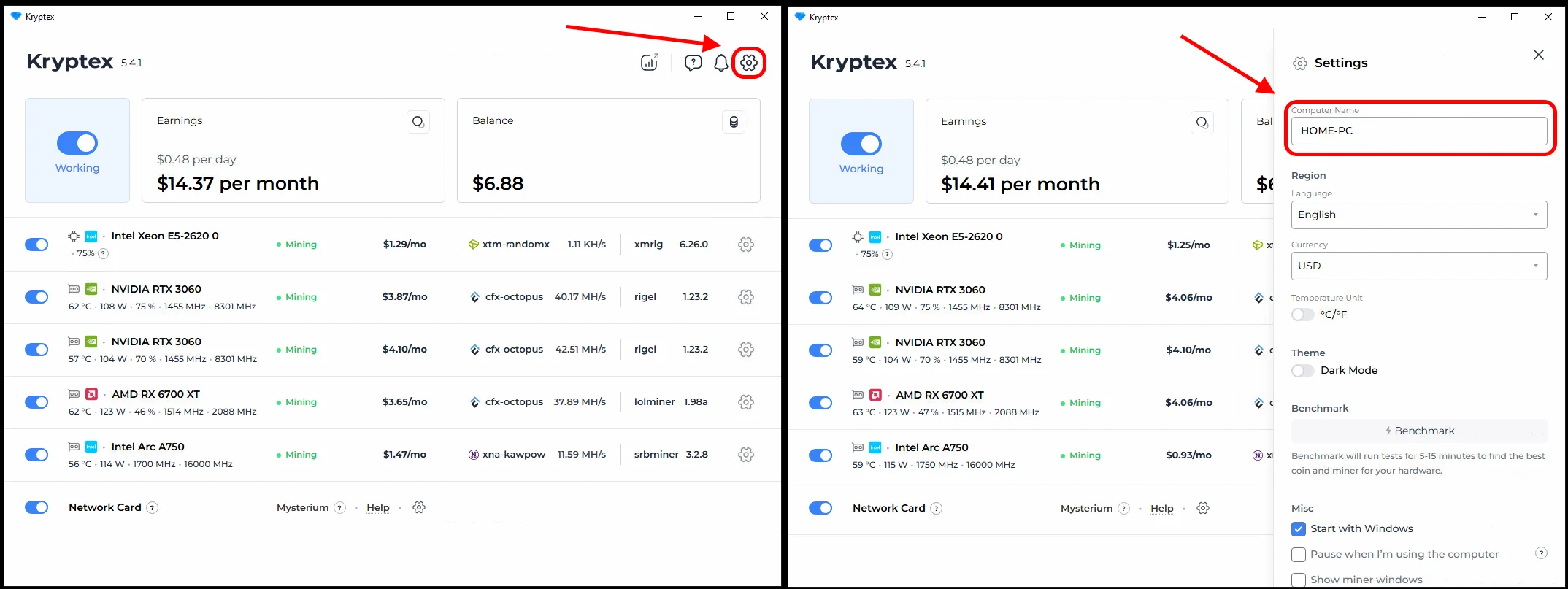
Each computer is given a unique ID based on the computer name set in Windows. But you can change it:
- Go to settings in Kryptex app
- Switch to Account tab
Set the computer name as you want:
Now everything is nice and clear in the list of computers!
Need Help?
Have any questions, something is unclear, or you can't connect?
Contact support — we're happy to assist!
- Support Ticket.
- Telegram Support.
- Discord Support.
- Email support at support@kryptex.com.
