







How to enable Compute Mode on AMD Radeon video card
How to double the hashrate of AMD Radeon video cards?
Enable compute mode in AMD driver settings to increase the profitability of your AMD GPUs up to two times. Radeon Software allows one to easily optimize GPUs for mining without any additional apps or special drivers.
How to enable Compute Mode?
On Windows 10 or Windows 8 machine
Head to the display driver settings. You'll need to switch modes for each particular card in your PC.
Some Radeon cards might be able to switch to Compute Mode automatically. In that case, there would be no option in the driver menu.
Download the latest GPU drivers from AMD.
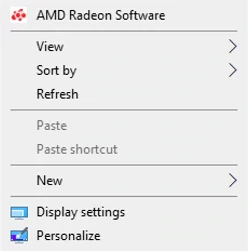
Right-click the desktop and select "Radeon Settings".
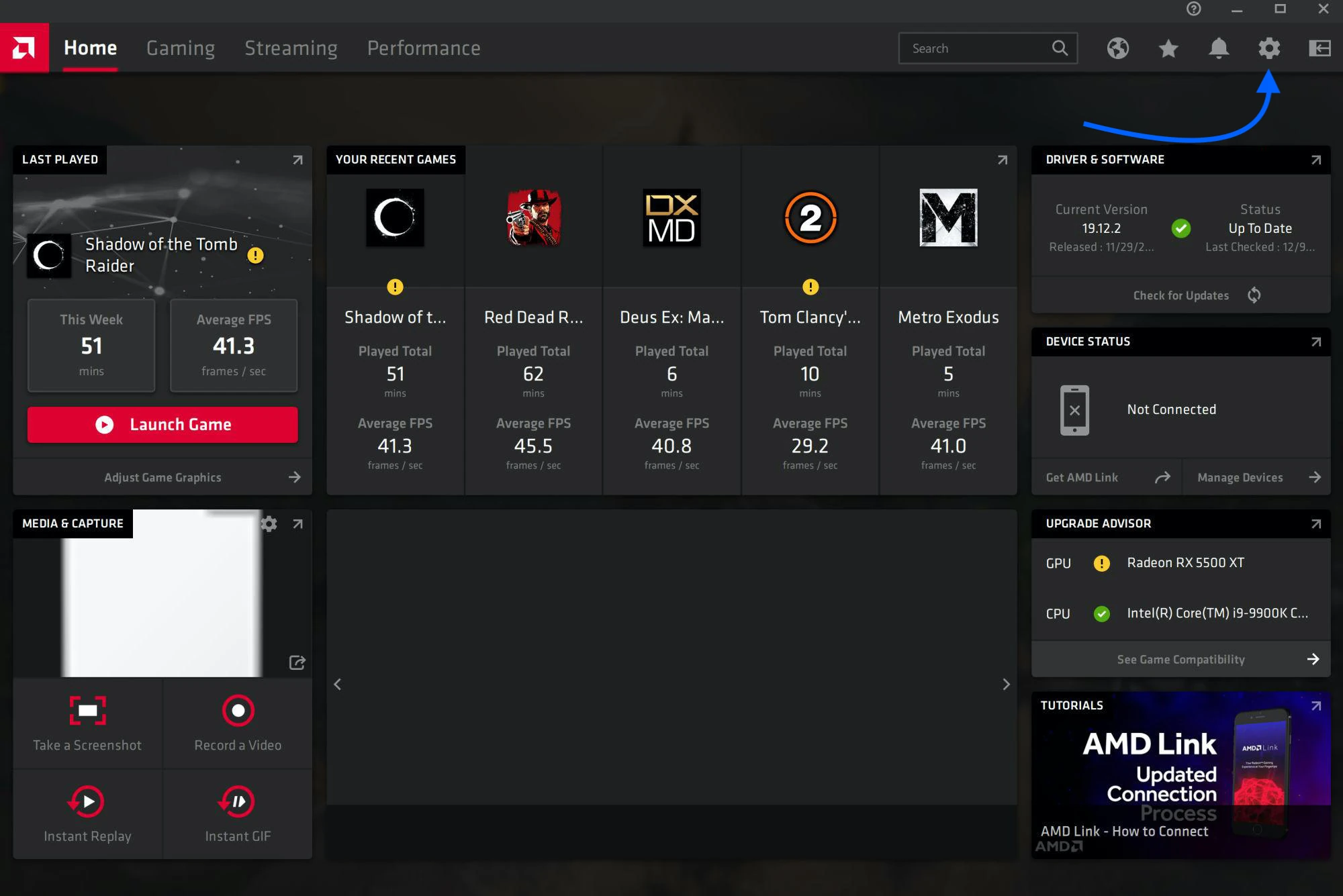
The driver window shows up. Click the gear icon in the top right.
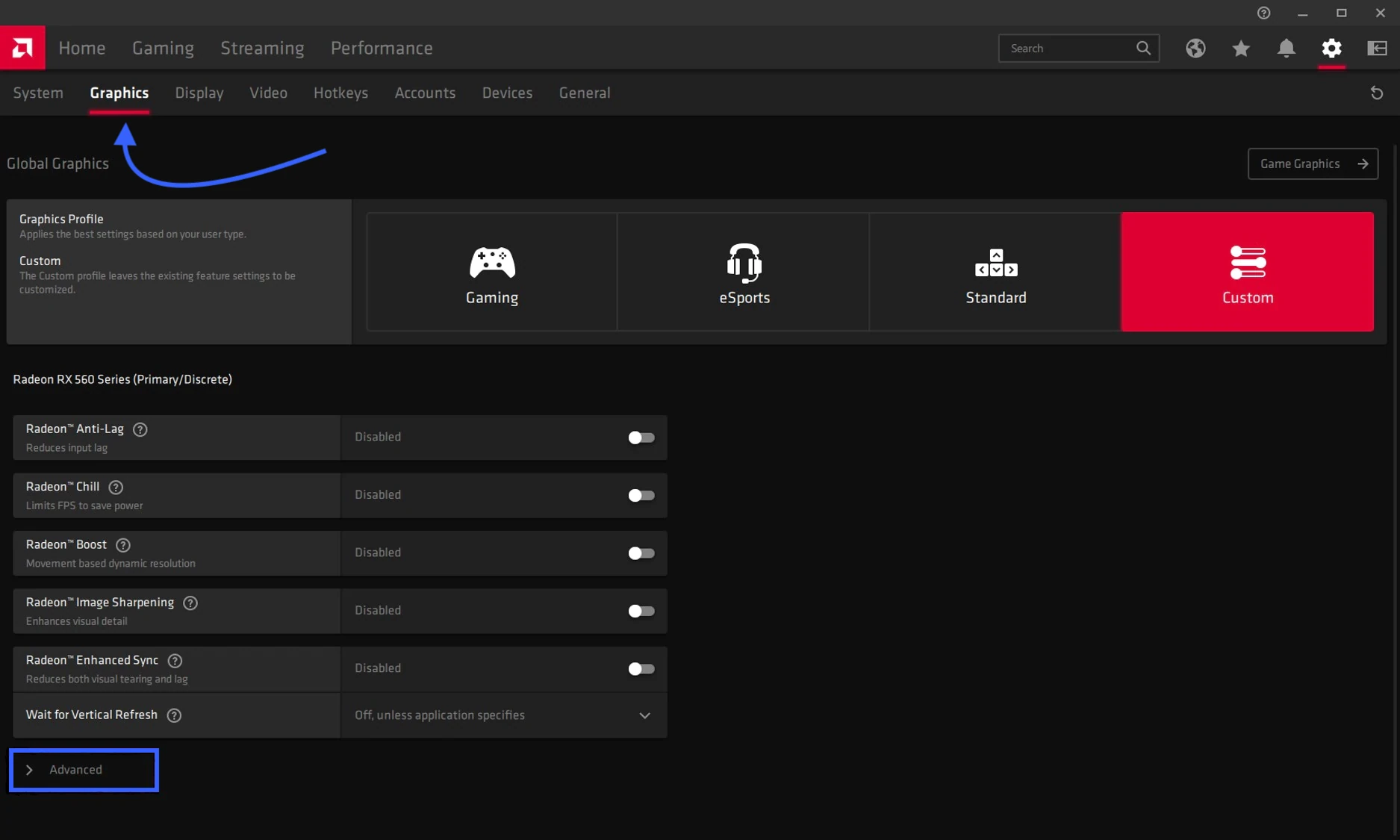
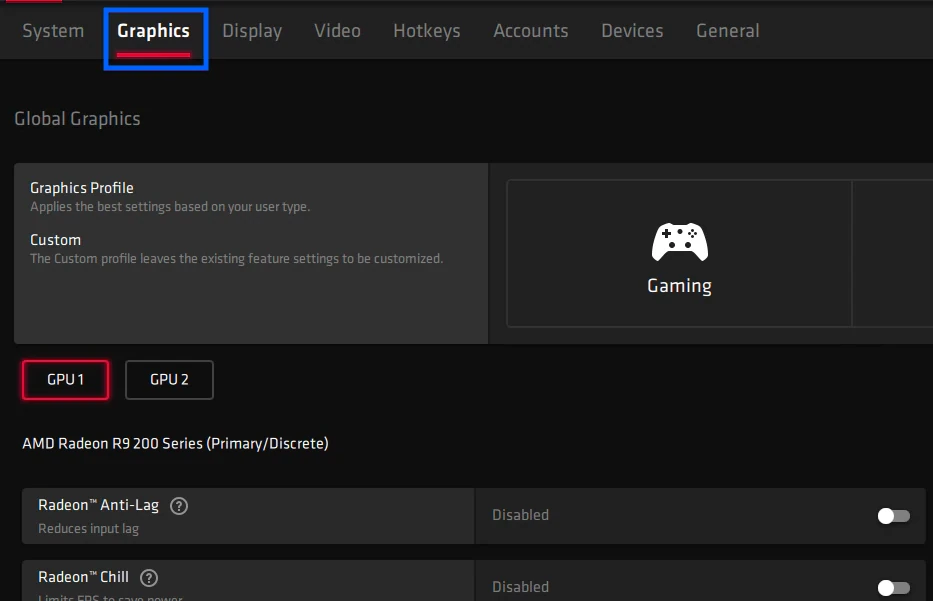
Head to the "Graphics" tab and scroll down to the "Advanced" section.
Select Compute Mode in the GPU workload drop-down.
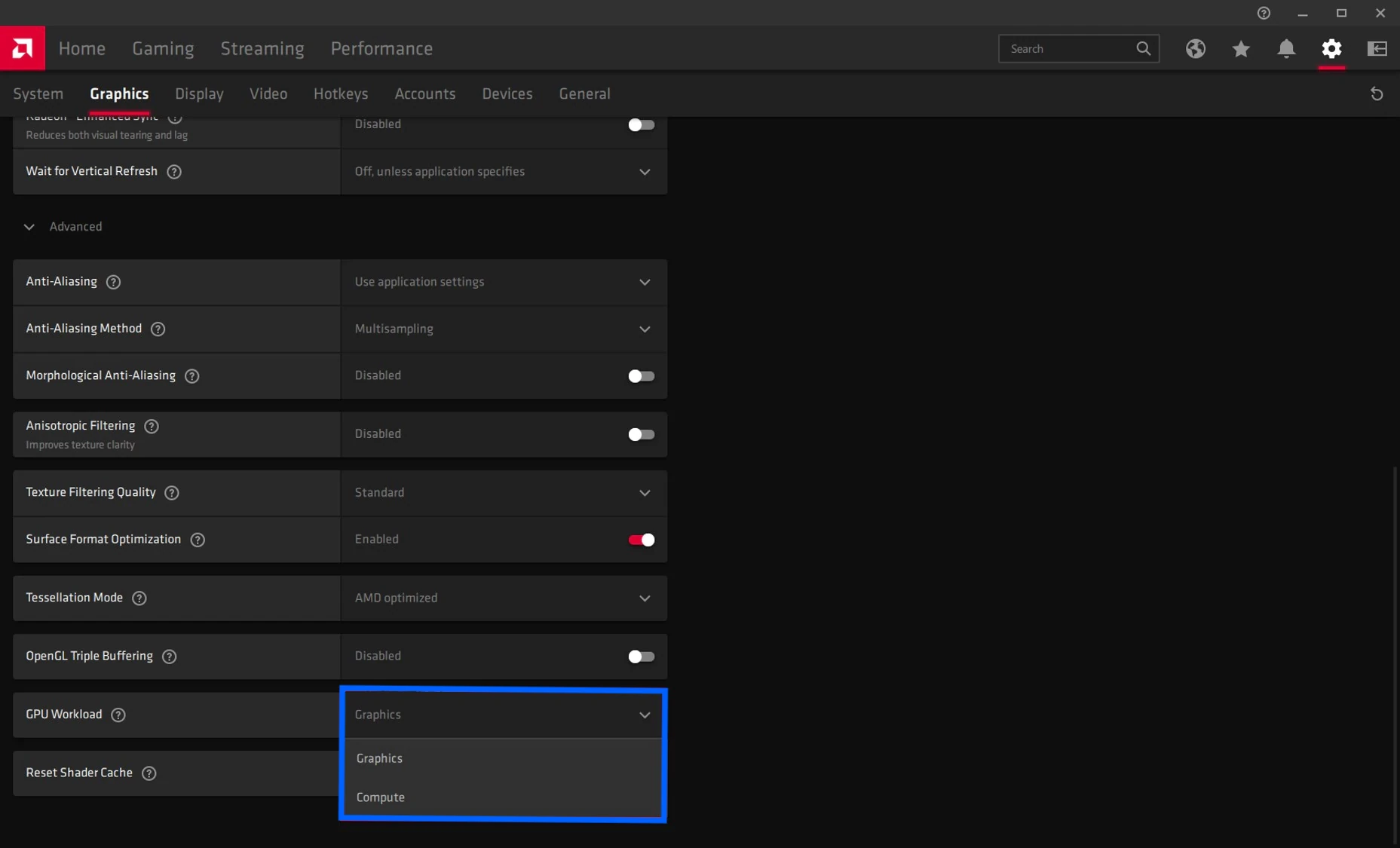
You'll be asked to restart the driver. Now your GPU is ready to mine using its full power.
In case you have multiple GPUs, repeat the trick for every card. The card selection menu is right below the "Profiles" section.
On Windows 7
For some mysterious reason, AMD decided not to include GPU workload settings in the Windows 7 drivers. Download the AMD blockchain driver, which enables Compute Mode by default.
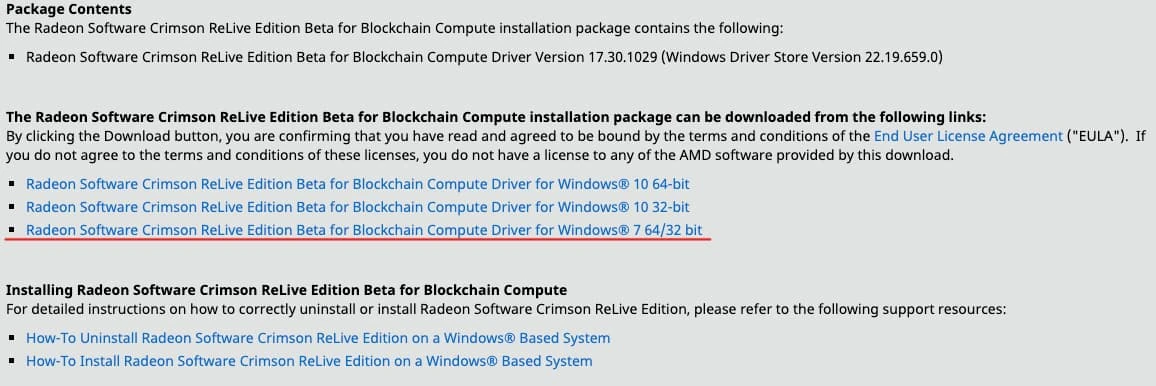
Since blockchain drivers have Compute Mode always enabled, playing games or running GPU demanding software might be complicated using these. Stick to vanilla Radeon Software drivers then for a conventional workflow.
Mine to the fullest! ⛏
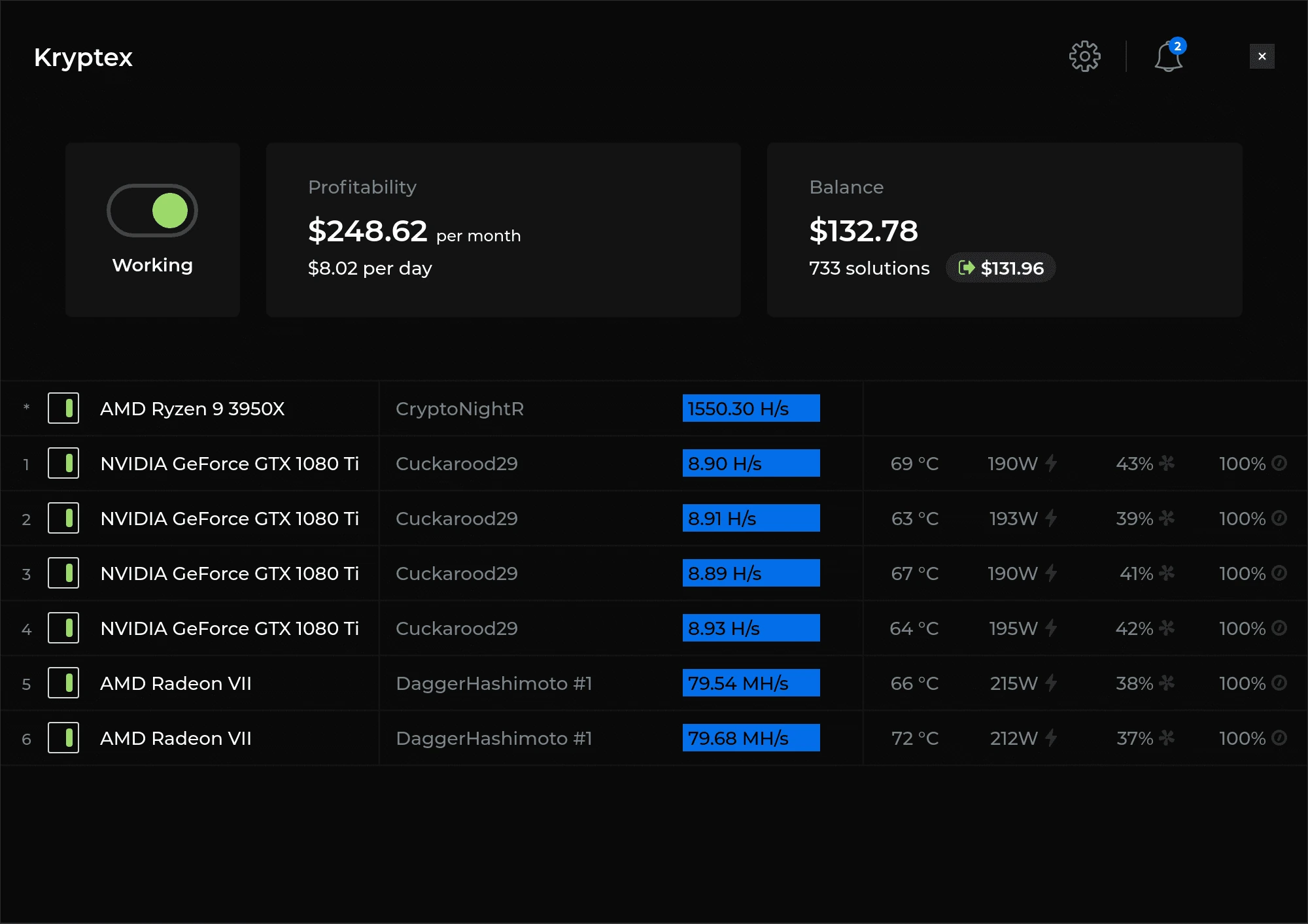
Download Kryptex and experience:
- Outstanding profitability with the best algorithms for every GPU.
- Effortless withdrawals to bank cards, BTC, ETH, and even Amazon.
- Pro mode with its unrivaled convenience.
Got any questions? Contact Kryptex!
Message us, and we’ll help with any issue 💪🏻 Replies are given within one day.
- Via web form;
- Via telegram;
- On facebook;
- Or email us to support@kryptex.com directly.
Need Help?
Have any questions, something is unclear, or you can't connect?
Contact support — we're happy to assist!
- Support Ticket.
- Telegram Support.
- Discord Support.
- Email support at support@kryptex.com.
