






如何卸载 Kryptex?
6 mai 2026 19:31
Kryptex 的删除方式与其他程序相同!
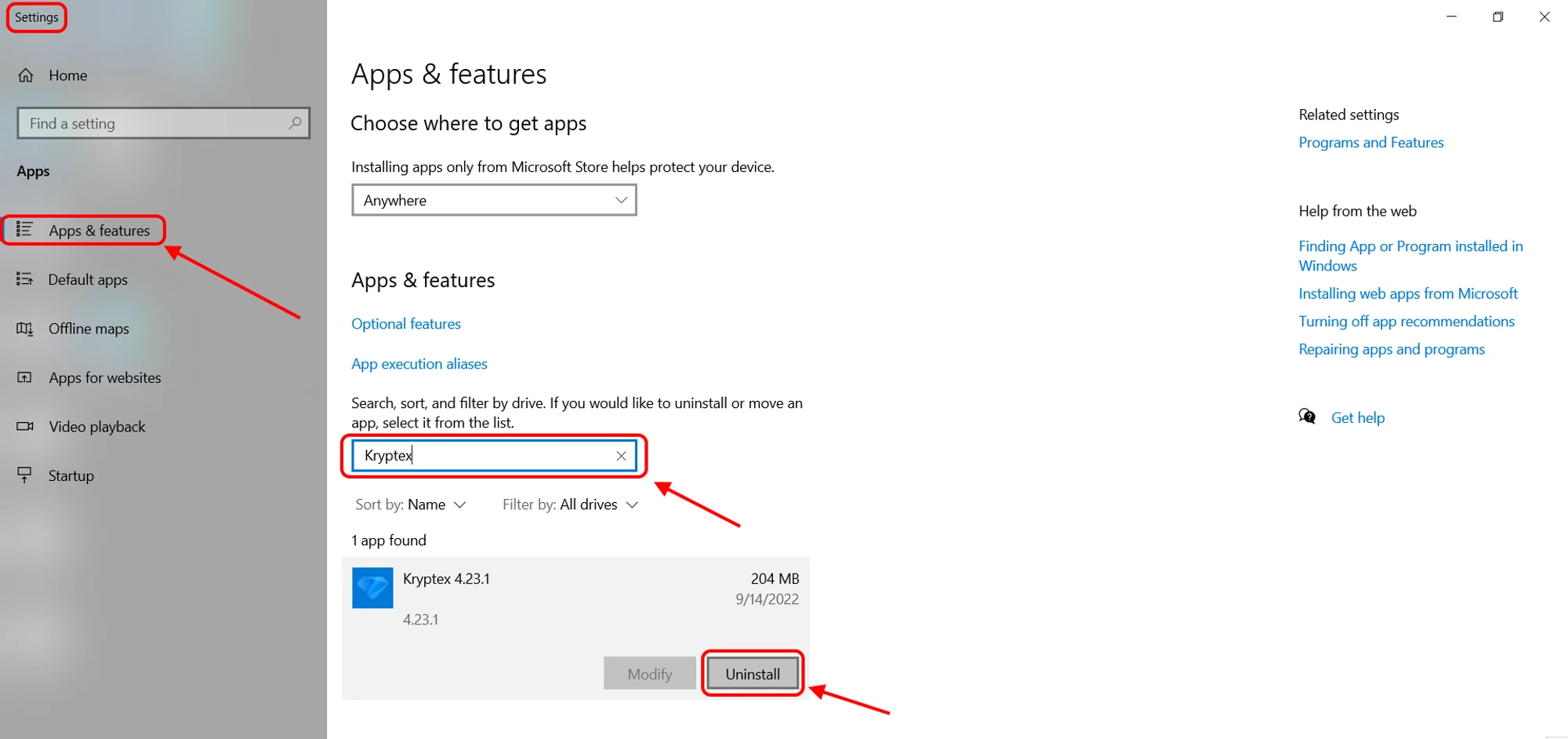
- 打开 Windows 7 的“控制面板” 或 Windows 8-11 的“应用和功能”(要执行此操作,您可以右键单击 “开始” 按钮并选择所需的菜单项)。
- 对于 Windows 7 — 在打开的窗口中,右上角有一个搜索字段。在那里输入“卸载程序”。
- 对于 Windows 7 — 在找到的列表中选择“卸载程序”,在打开的列表中找到 Kryptex,然后点击顶部的“删除”按钮。
- 对于 Windows 8-11 — 在“应用和功能”菜单打开后,在搜索字段中输入
Kryptex进行快速搜索,然后点击“卸载”按钮。
完成!Kryptex 将被删除,不再在您的电脑上运行。
如果您无法以通常方式删除 Kryptex 应用程序。
有时,由于杀毒软件的阻止或对系统文件的访问权限不足,您无法卸载应用程序。这种情况很少发生,表明您的账户没有管理员权限。
要完全卸载应用程序,您还需要删除以下两个文件夹:
C:\Program Files\KryptexC:\Users\<username>\AppData\Roaming\Kryptex—<username>替换为您的 Windows 用户名。
默认情况下,
AppData文件夹被系统隐藏。
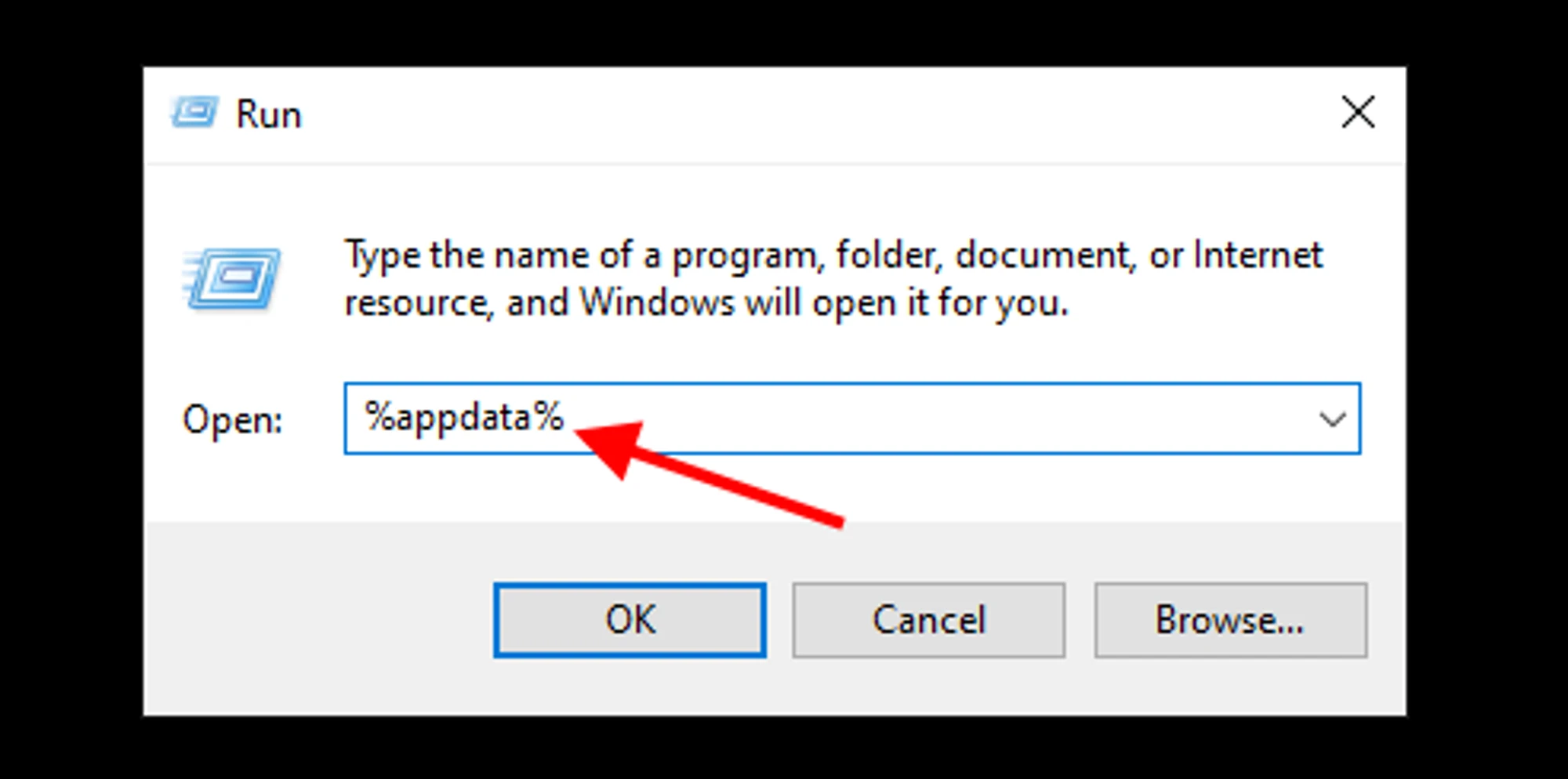
要打开它,请按下组合键Win+R,然后输入命令%appdata%并按下Enter或OK。
您已删除文件夹,但 Kryptex 仍在运行!
使用可信的卸载工具:https://geekuninstaller.com/
需要帮助吗?
有任何问题、不清楚的地方或无法连接?
请联系我们的支持团队——我们乐意为您提供帮助!
- 支持票。
- Telegram 支持。
- Discord 支持。
- 通过电子邮件联系支持 support@kryptex.com。
