










Where is Kryptex installed?
Kryptex is installed just like any other program.
By default, Kryptex is placed in two locations:
C:\Program Files\Kryptex— This is where the Kryptex App locates itself.C:\Users\<username>\AppData\Roaming\Kryptex— This is where you'll find miners and Kryptex system files. Remember to replace<username>with your Windows username.
If you are unsure about your username, use the generic path
%Appdata%\Kryptex.
The AppData folder is a hidden system folder in Windows. To access it, you must enable the display of hidden files and folders.
View hidden files and folders in Windows 10
- Open ”File Explorer” from the taskbar, or open any folder on your PC.
Select ”View” and then select ”Options”.

Select the ”View” tab and, in ”Advanced settings”, select ”Show hidden files, folders, and drives”, untick “Hide extensions for known file types”.
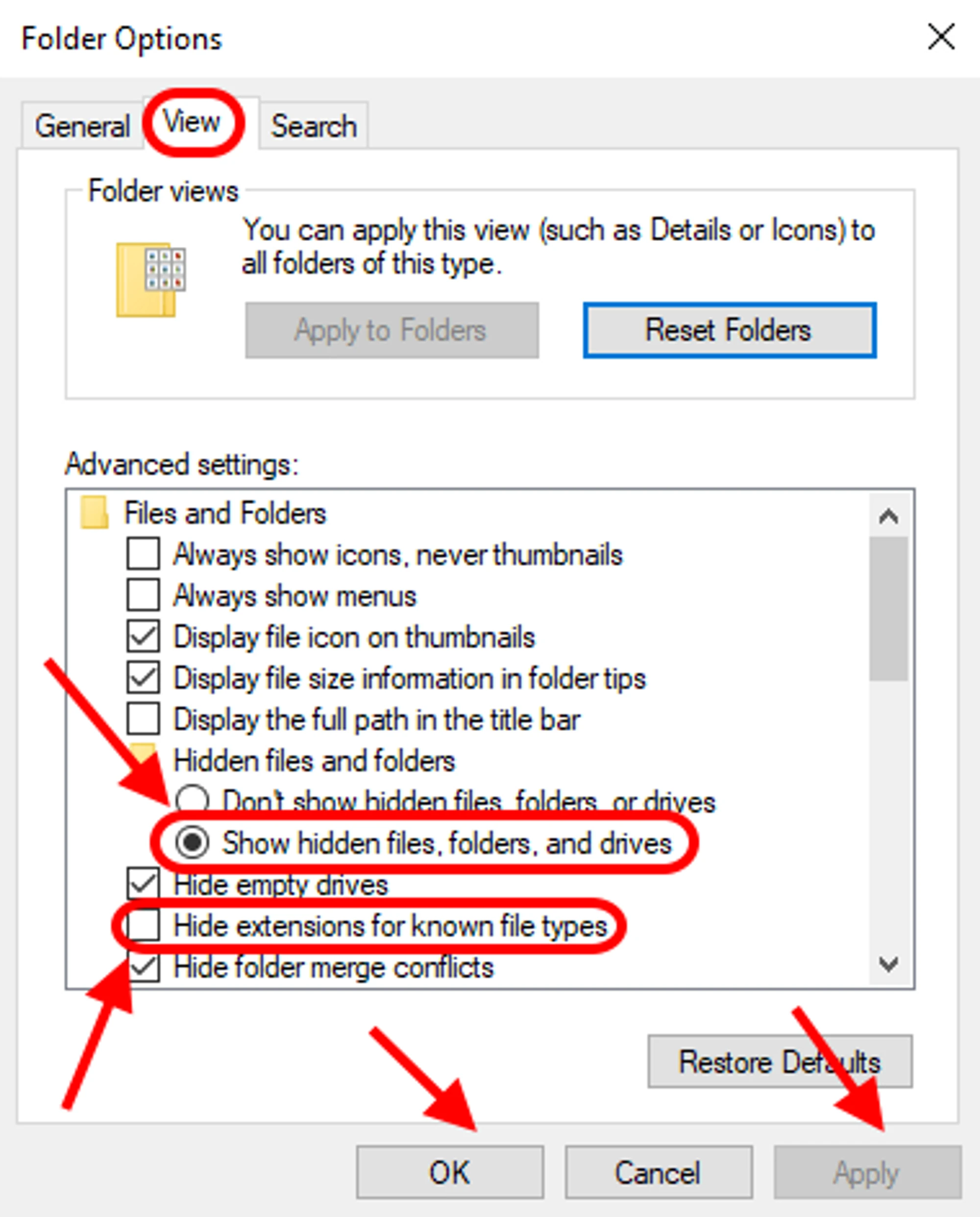
Click “Apply” and then “OK”.
View hidden files and folders in Windows 11
- Open ”File Explorer” from the taskbar, or open any folder on your PC, and click the three dots on the top.
Go to "Options".
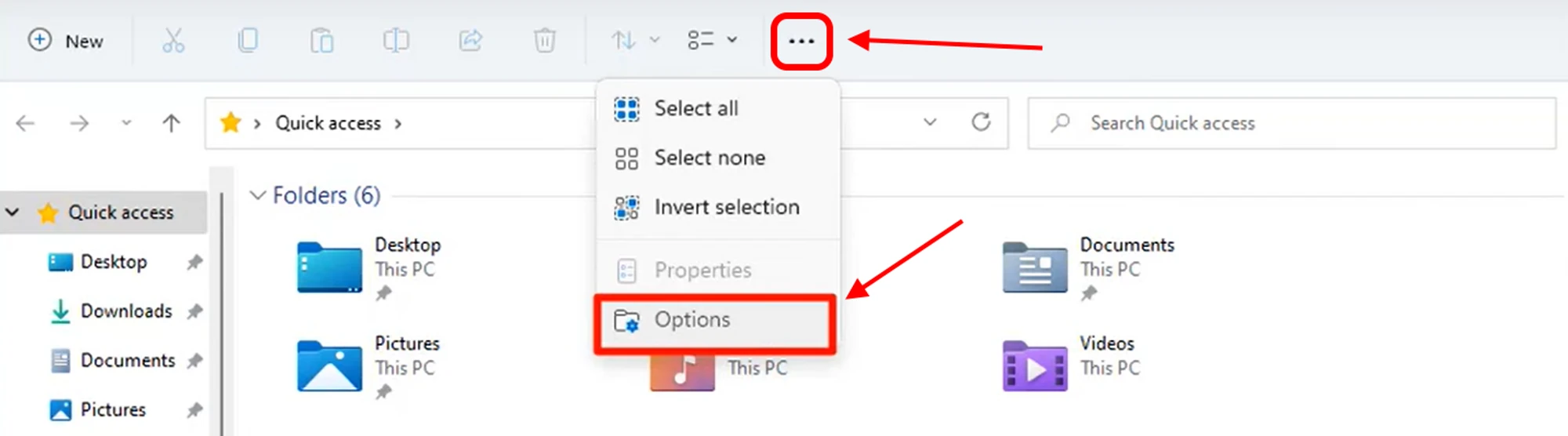
Choose "View".
Select "Show hidden files, folders, and drives” and untick “Hide extensions for known file types”.
Press “Apply” and ”ОК”.
Need Help?
Have any questions, something is unclear, or you can't connect?
Contact support — we're happy to assist!
- Support Ticket.
- Telegram Support.
- Discord Support.
- Email support at support@kryptex.com.
