







How to add Kryptex to Kaspersky antivirus exclusion?
2026年4月30日14:37
Many antivirus programs can disrupt the correct functioning of the Kryptex App. To ensure that your antivirus doesn't hinder Kryptex's operation, you should exempt Kryptex files from being scanned by the antivirus software.
Add Kryptex to Kaspersky exclusion
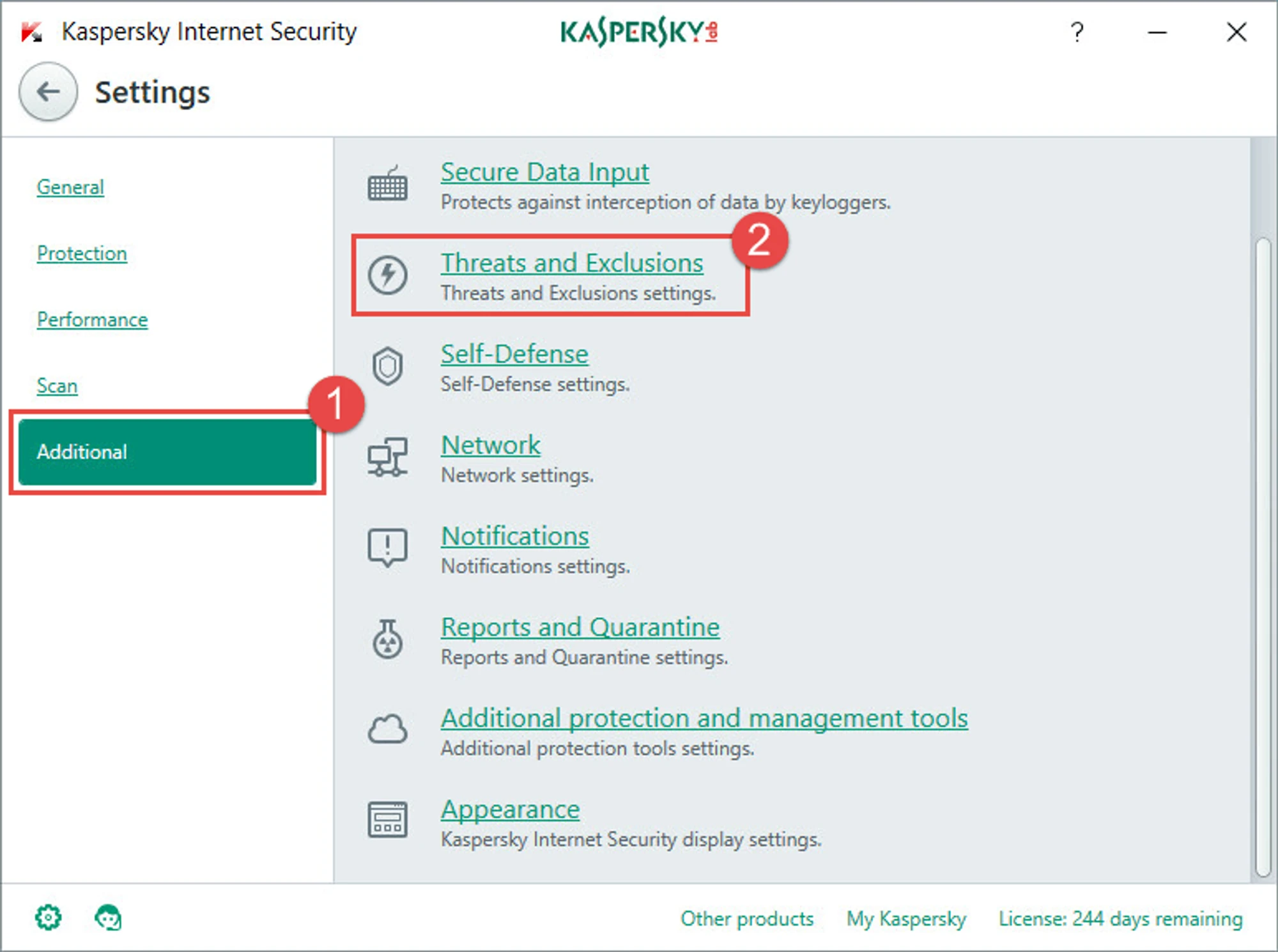
Open Kaspersky settings —> “Additional” —> “Threats and exclusions”.
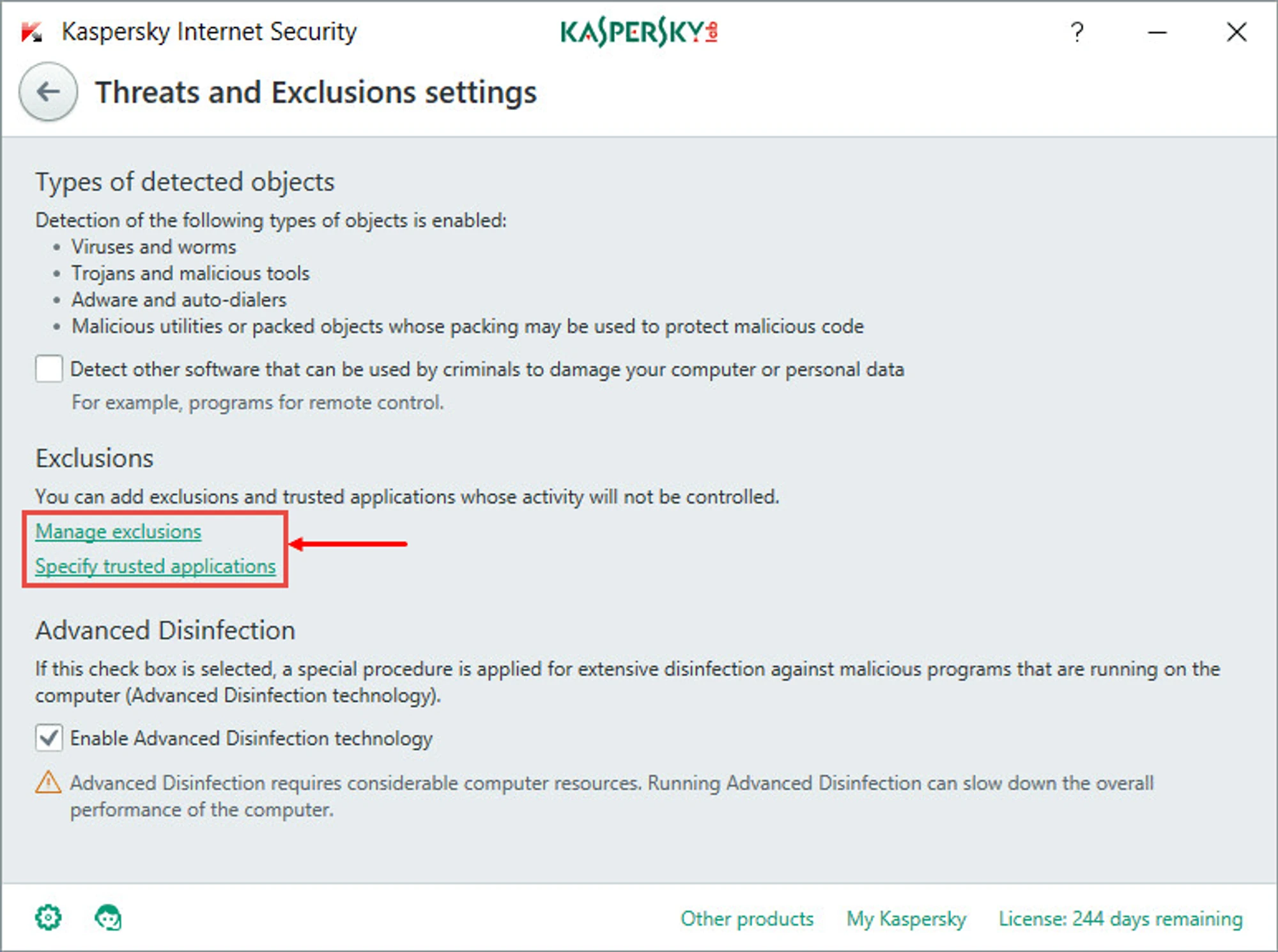
Next, select “Manage exclusions” or “Specify trusted programs”.
Specify the files and folders that you want to exclude from the antivirus scan:
C:\Program Files\Kryptex%AppData%\Kryptex%AppData%\Kryptex\minersC:\Program Files\Kryptex\Kryptex.exeC:\Program Files\Kryptex\KryptexService.exeC:\Program Files\Kryptex\intelgpu-util.exeC:\Program Files\Kryptex\amdgpu-util.exe
Can’t find the AppData folder? View hidden system files and folders.
Click "OK" and then "OK" again to apply and save the exclusions.
Need Help?
Have any questions, something is unclear, or you can't connect?
Contact support — we're happy to assist!
- Support Ticket.
- Telegram Support.
- Discord Support.
- Email support at support@kryptex.com.
