







如何将 Kryptex 添加到卡巴斯基杀毒软件的排除项中?
6 mai 2026 12:02
许多杀毒程序可能会干扰 Kryptex 应用程序的正常运行。为了确保您的杀毒软件不会妨碍 Kryptex 的操作,您应该将 Kryptex 文件排除在杀毒软件的扫描之外。
将 Kryptex 添加到卡巴斯基排除项中
打开卡巴斯基设置 —> “附加” —> “威胁和排除”。
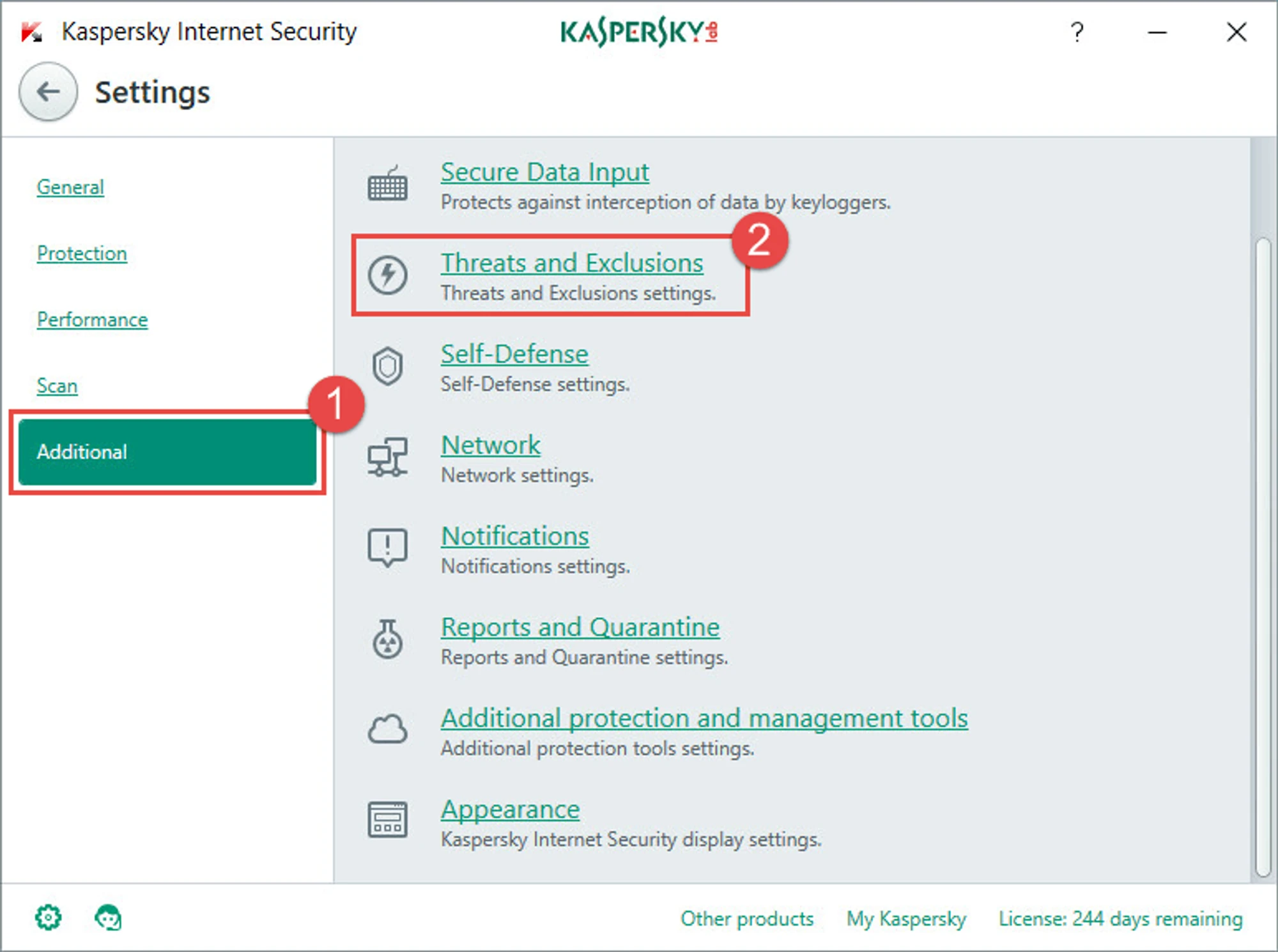
接下来,选择“管理排除项”或“指定受信任的程序”。
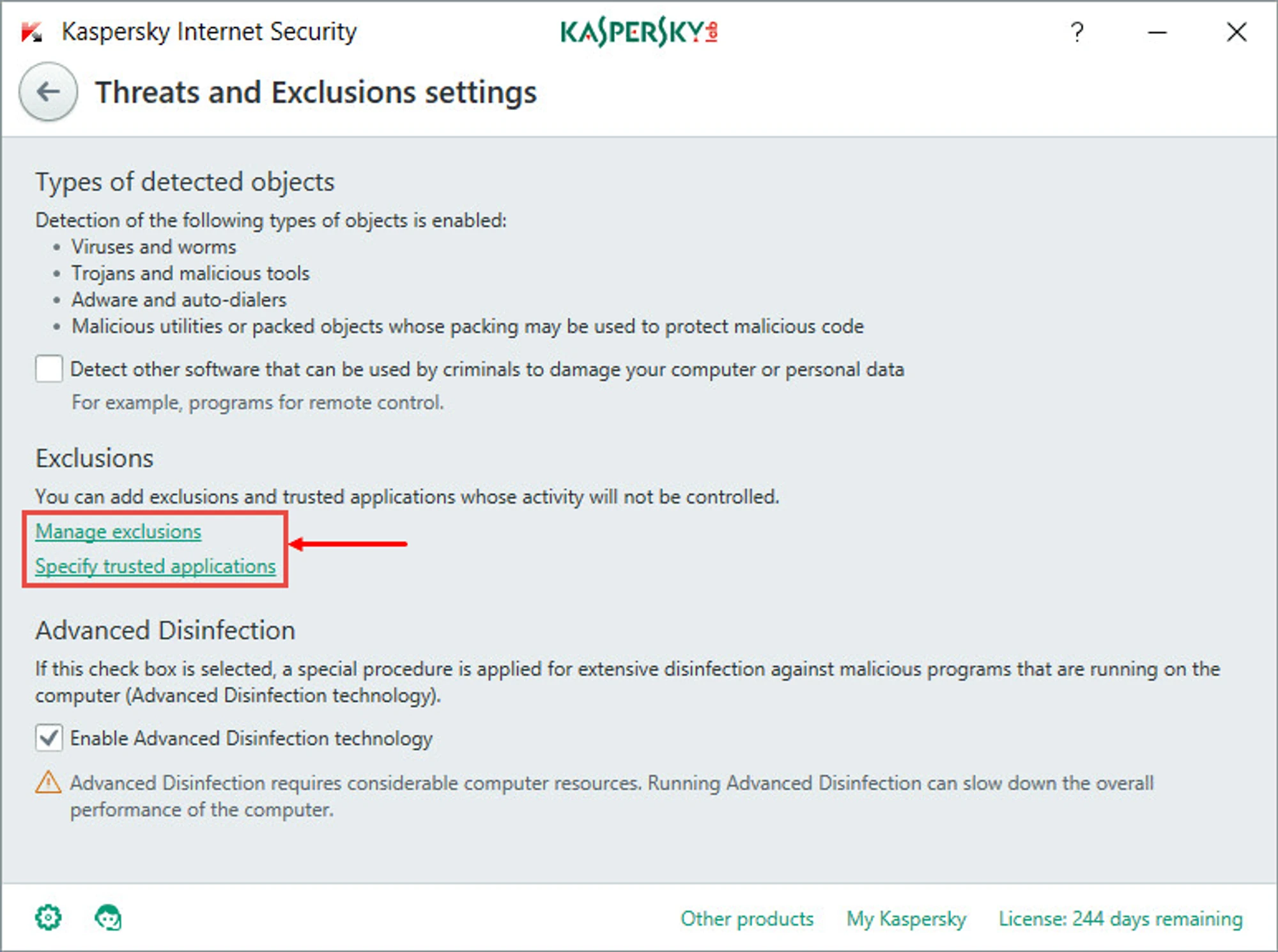
指定您要从杀毒软件扫描中排除的文件和文件夹:
C:\Program Files\Kryptex%AppData%\Kryptex%AppData%\Kryptex\minersC:\Program Files\Kryptex\Kryptex.exeC:\Program Files\Kryptex\KryptexService.exeC:\Program Files\Kryptex\intelgpu-util.exeC:\Program Files\Kryptex\amdgpu-util.exe
找不到 AppData 文件夹?查看隐藏的系统文件和文件夹。
单击“确定”,然后再次单击“确定”以应用并保存排除项。
需要帮助?
有任何问题、不清楚的地方或无法连接?
请联系我们的支持团队——我们乐意为您提供帮助!
- 支持工单。
- Telegram 支持。
- Discord 支持。
- 通过电子邮件联系支持:support@kryptex.com。
