







How to add Kryptex to Avast antivirus exclusion?
Many antivirus programs can disrupt the correct functioning of the Kryptex App. To ensure that your antivirus doesn't hinder Kryptex's operation, you should exempt Kryptex files from being scanned by the antivirus software.
Add Kryptex to Avast exclusion
Open Antivirus and go to
☰”Menu” —> “Settings”.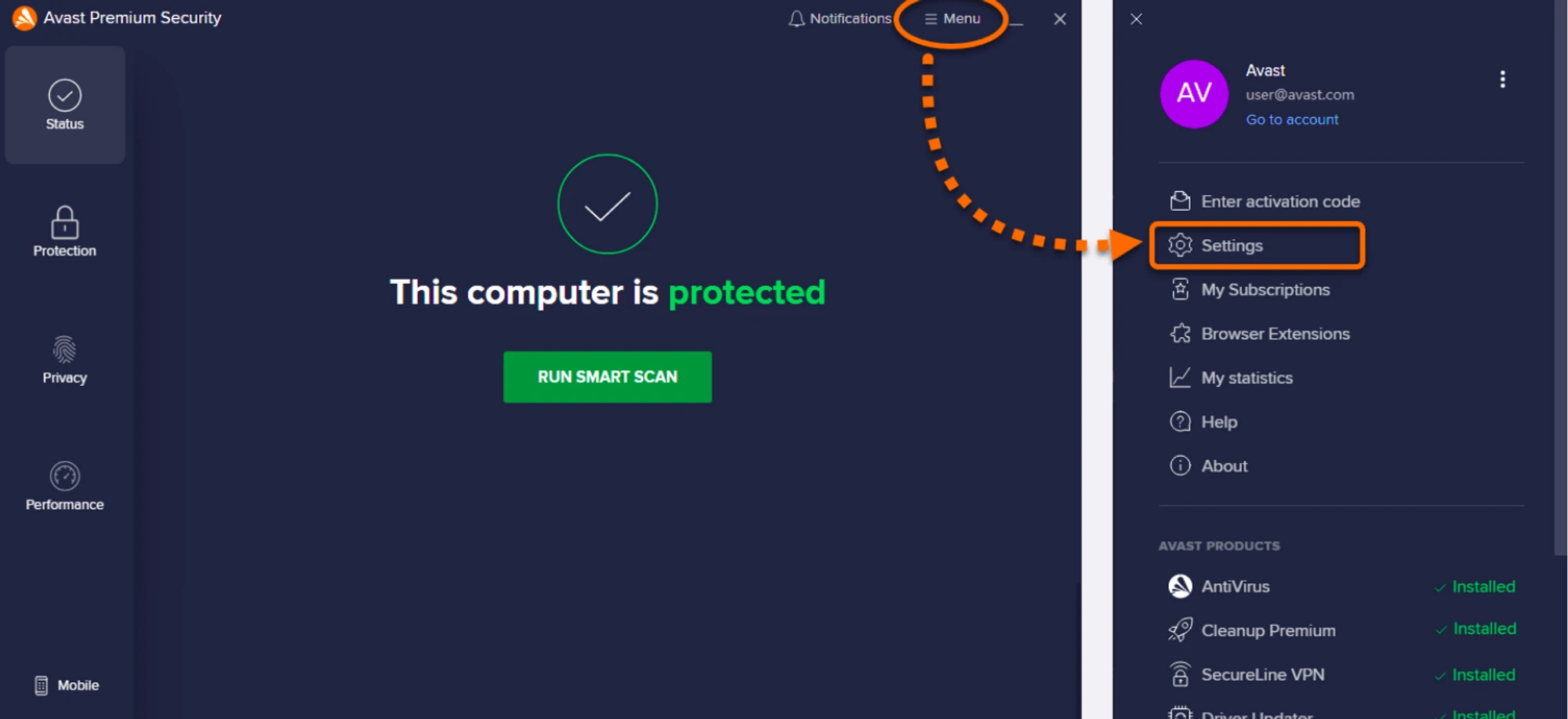
Select “General” —> “Exceptions”, then click “Add Exception”.
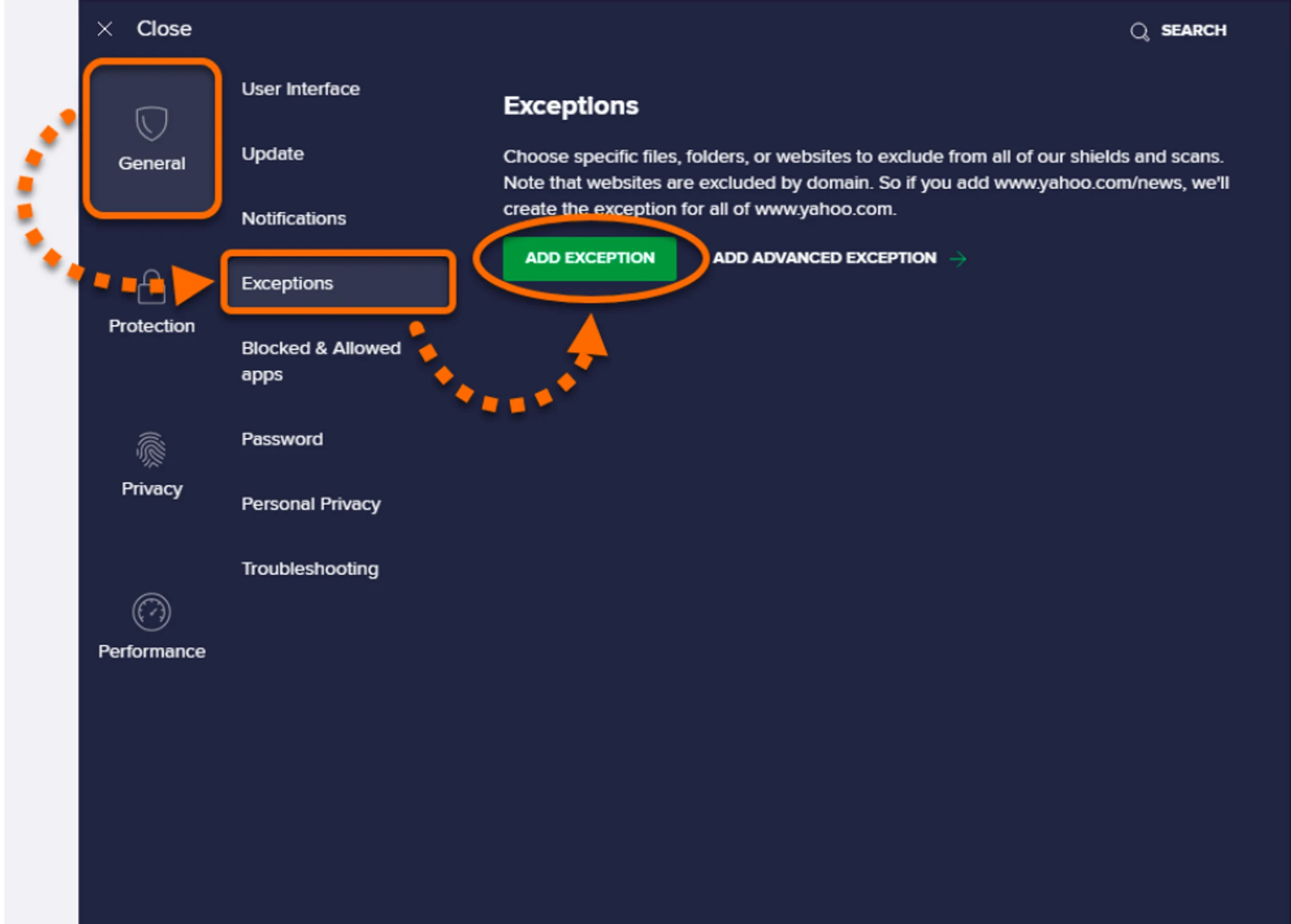
Enter the file or folder path or URL in the text box and click the “Add exclusion” button.
Click “Browse”, check the box next to the file or folder, and specify the paths for the following exclusions:
C:\Program Files\Kryptex%AppData%\Kryptex%AppData%\Kryptex\minersC:\Program Files\Kryptex\Kryptex.exeC:\Program Files\Kryptex\KryptexService.exeC:\Program Files\Kryptex\intelgpu-util.exeC:\Program Files\Kryptex\amdgpu-util.exe
Can’t find the AppData folder? View hidden system files and folders.
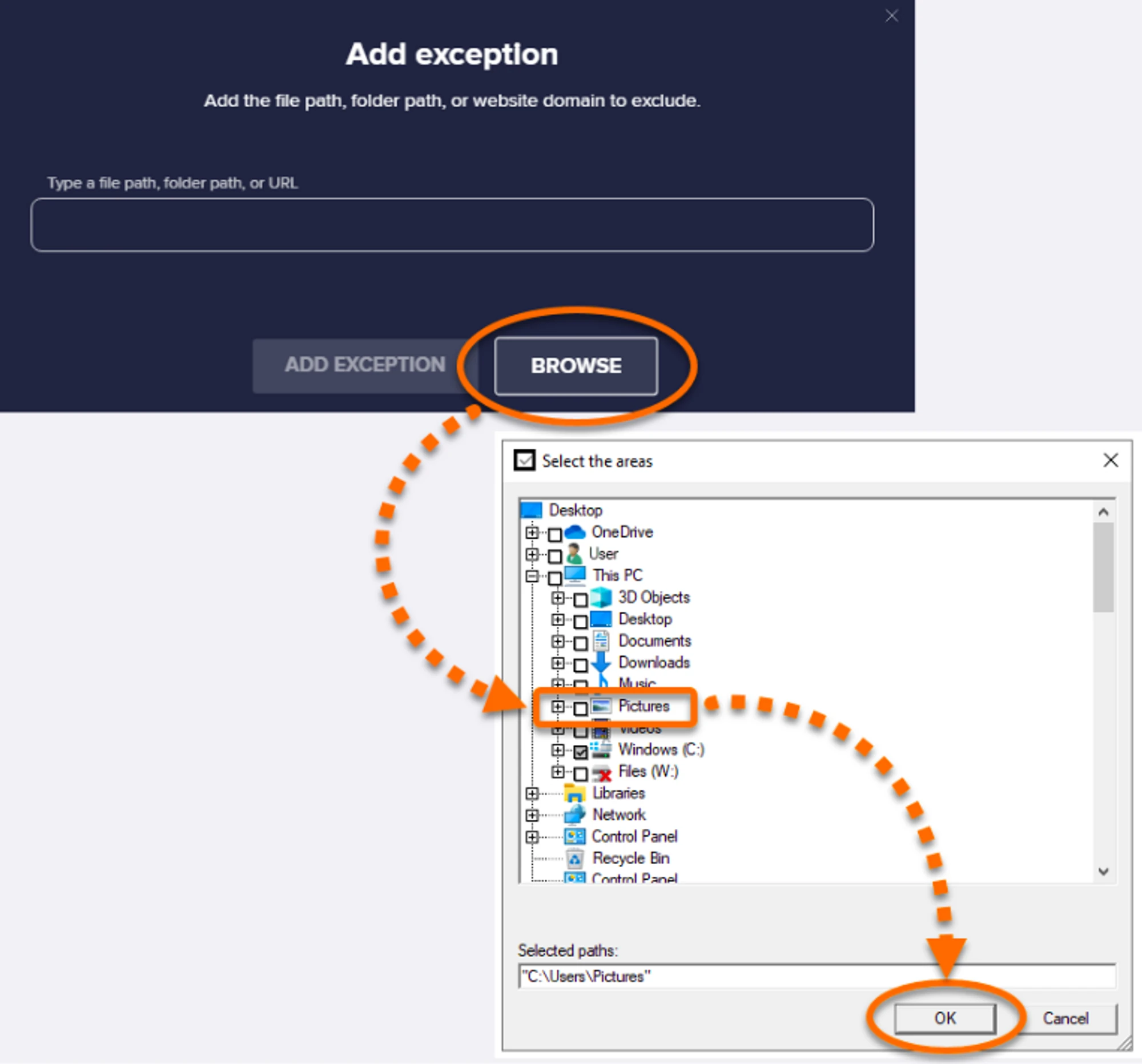
Click the “OK” button.
More details on the developer web page — https://support.avast.com
Need Help?
Have any questions, something is unclear, or you can't connect?
Contact support — we're happy to assist!
- Support Ticket.
- Telegram Support.
- Discord Support.
- Email support at support@kryptex.com.
