











How to add Kryptex to ESET antivirus exclusion?
30 de abril de 2026 a las 14:37
Many antivirus programs can disrupt the correct functioning of the Kryptex App. To ensure that your antivirus doesn't hinder Kryptex's operation, you should exempt Kryptex files from being scanned by the antivirus software.
Add Kryptex to ESET exclusion
- Open the main program window of your ESET antivirus.
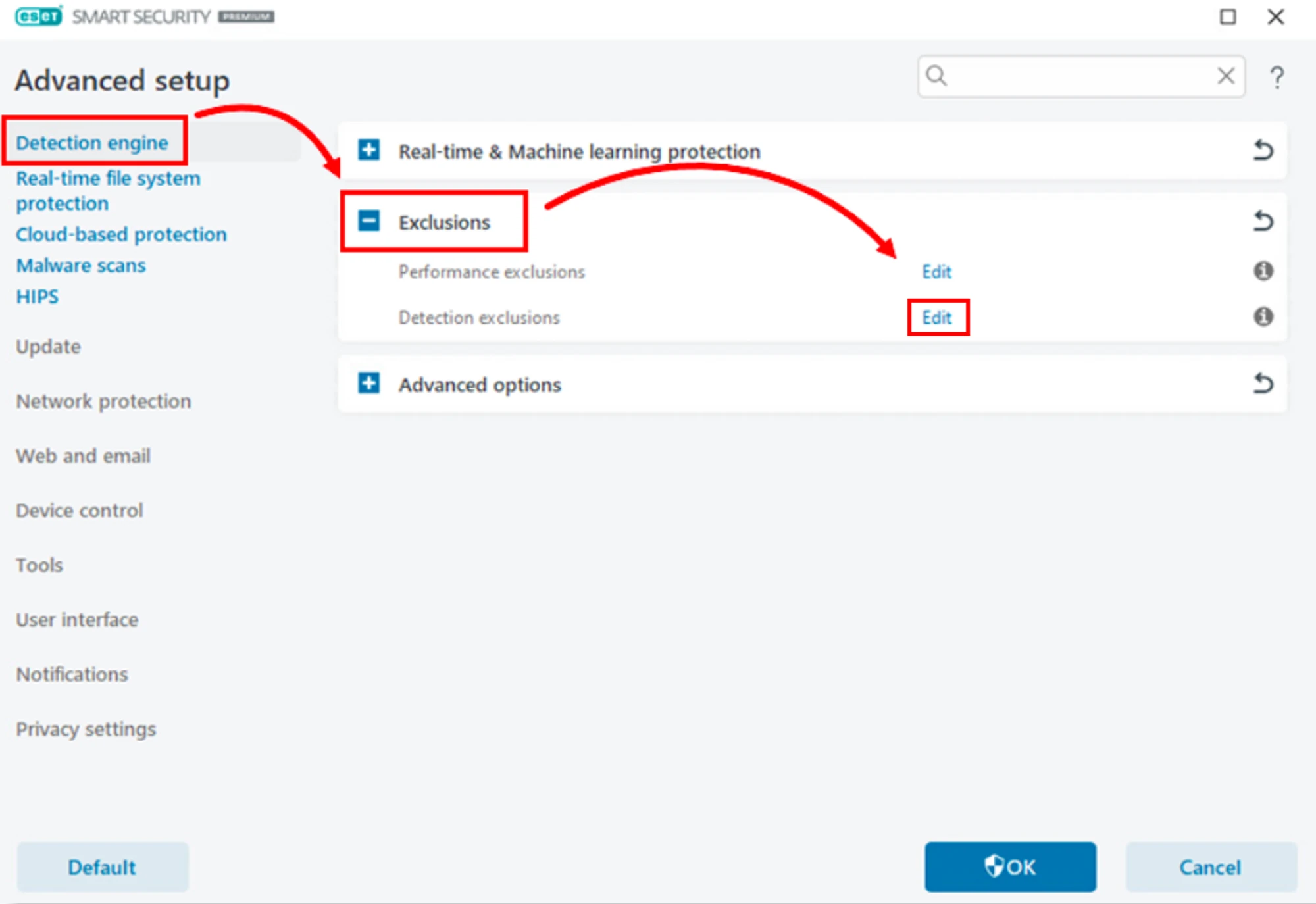
- Press the ”F5” key on your keyboard to open “Advanced setup”.
Click “Detection Engine”, expand “Exclusions” and click “Edit” next to “Detection Exclusions”.
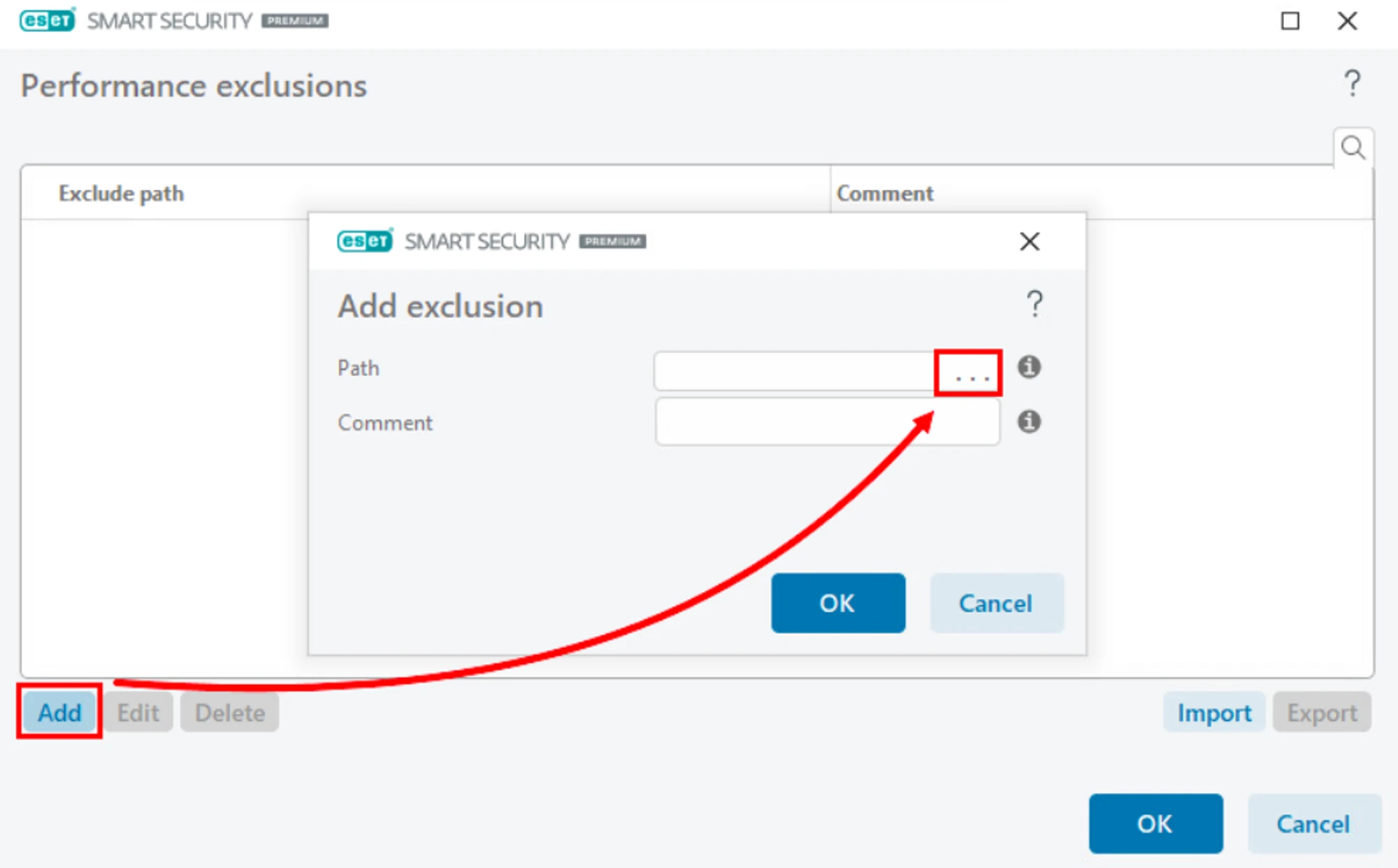
Click “Add” and then click “Browse (...)”.
Use the directory tree to browse for the file you want to exclude, select it, and click ”OK”.
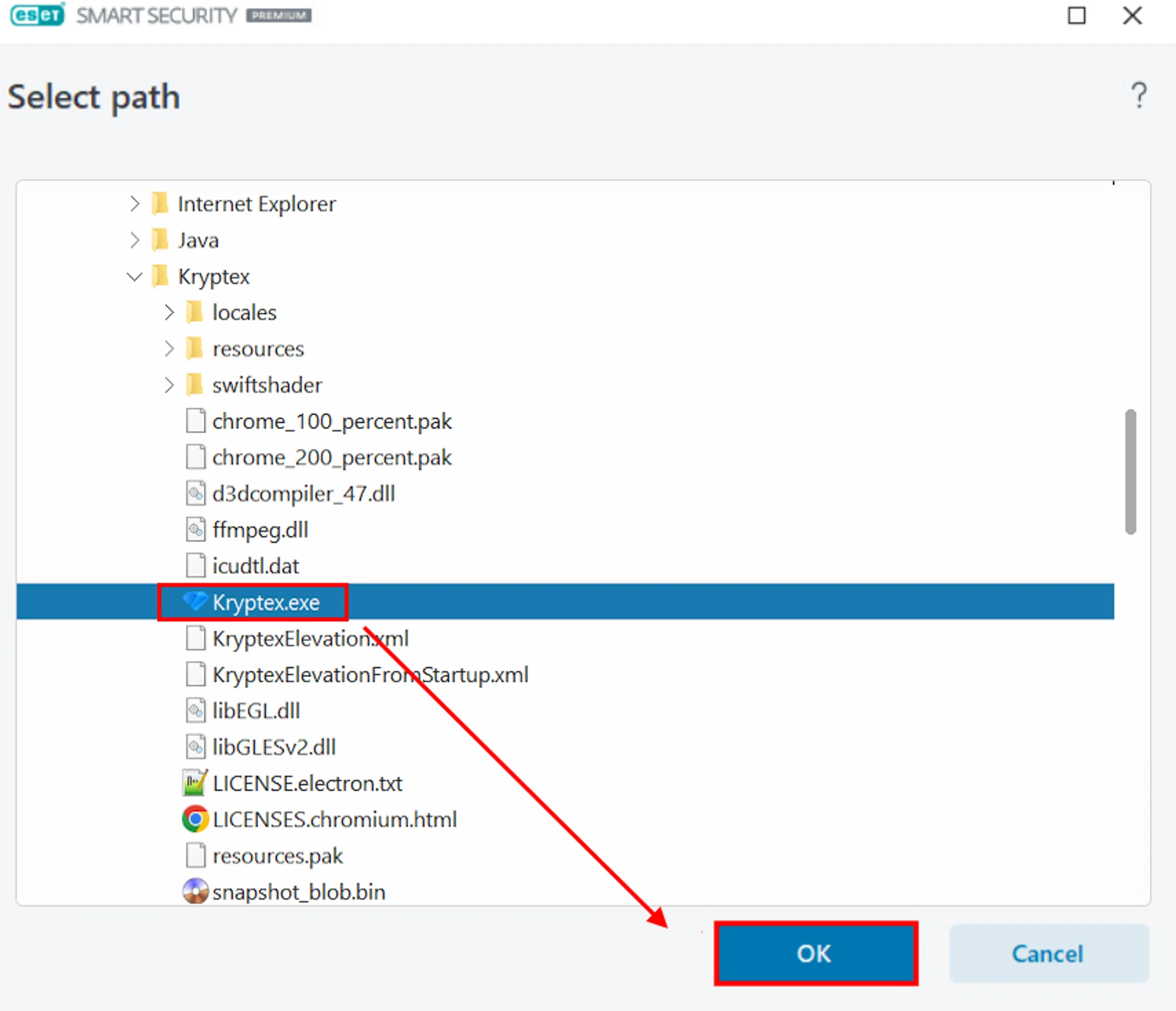
Repeat same procedure for these files:
C:\Program Files\Kryptex%AppData%\Kryptex%AppData%\Kryptex\minersC:\Program Files\Kryptex\Kryptex.exeC:\Program Files\Kryptex\KryptexService.exeC:\Program Files\Kryptex\intelgpu-util.exeC:\Program Files\Kryptex\amdgpu-util.exe
Can’t find the AppData folder? View hidden system files and folders.
Click ”OK” and once again ”OK” to save the exclusion.
Need Help?
Have any questions, something is unclear, or you can't connect?
Contact support — we're happy to assist!
- Support Ticket.
- Telegram Support.
- Discord Support.
- Email support at support@kryptex.com.
